The best app blockers for iPhone and Android in 2026, compared by price, platform and how hard each one is to bypass when willpower runs out.
The best app blocker is the one you can't talk yourself out of at 11pm. Here is the quick answer. ScrollToll is the best app blocker for people who bypass every limit they set, because unlocking an app takes real, camera-verified exercise instead of a tap. Opal is the best all-round scheduled blocker for iPhone. AppBlock is the best for Android and detailed schedules. one sec is the best for a gentle pause before you open an app. ScreenZen is the best free app blocker. Freedom is the best if your distractions follow you from phone to laptop. Brick is the best physical blocker. Jomo is the best for people who respond to encouragement more than rules. Apple Screen Time and Android Digital Wellbeing are fine for awareness, but they are easy to override.
What separates these apps is not the feature list. Nearly every app blocker lets you pick apps and set a schedule. The real difference is what happens in the weak moment: when the limit hits and you want back in. Some apps ask you to breathe. Some make you wait. Some lock you out until the timer ends. ScrollToll makes you do pushups. This guide ranks each app by that moment.
A quick note on honesty: we make ScrollToll, so we've been careful to say where other apps are the better choice. Prices were checked in September 2026 and change often, so confirm on each app's store listing before you pay.
Best app blockers at a glance
| App | Best for | Platforms | How it blocks | Bypass difficulty | Price |
|---|---|---|---|---|---|
| ScrollToll | People who bypass every limit | iPhone, iPad, Android | Earn screen time with AI-verified exercise | High | Paid after 3-day free trial, student plans from $1/month |
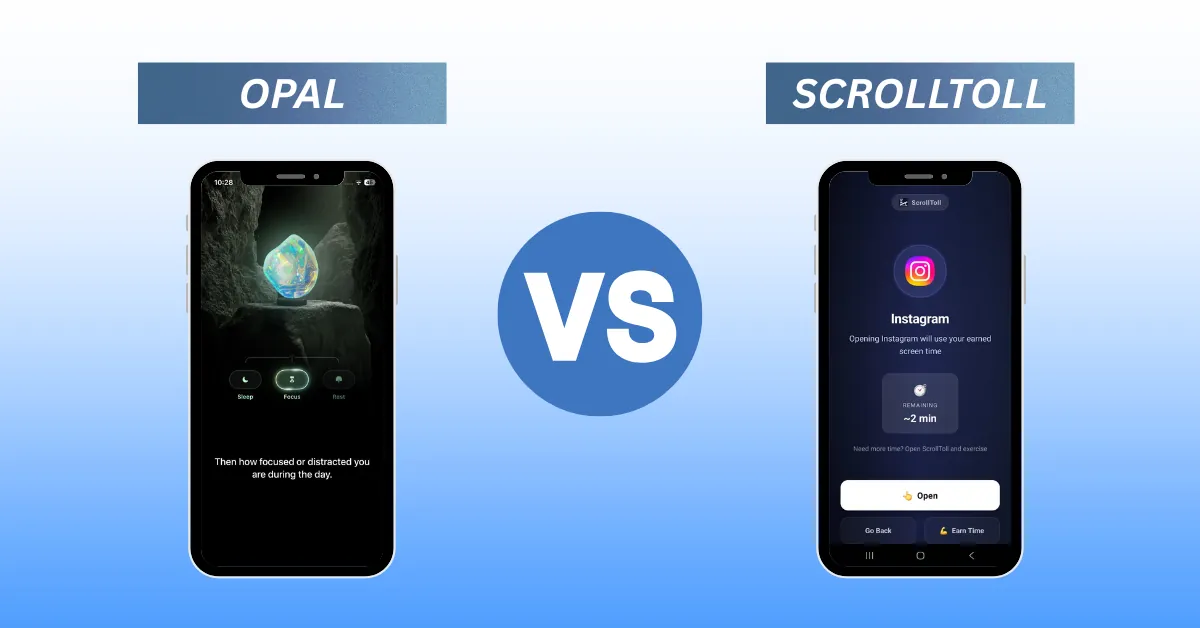
| Opal | Scheduled focus on iPhone | iPhone, Mac, Android | Schedules and locked focus sessions | Medium to high (with Pro) | Free (1 rule), Pro $99.99/year |
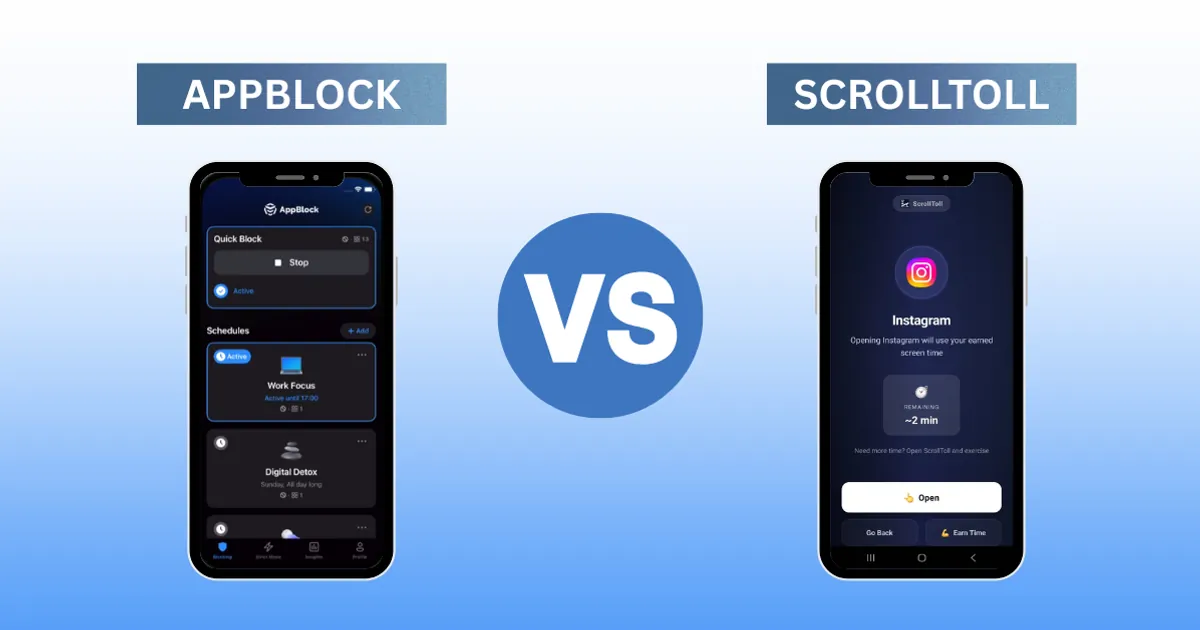
| AppBlock | Android and detailed schedules | Android, iPhone, browser | Profiles, schedules, Strict Mode | Medium to high | Free plan, Premium subscription |
| one sec | Autopilot opening | iPhone, Android, Mac, browser | Breathing pause before the app opens | Low to medium | Free (1 app), Pro about $20/year |
| ScreenZen | Free, flexible friction | iPhone, Android | Delays and prompts | Low to medium | Free |
| Freedom | Phone plus laptop | iPhone, Android, Mac, Windows, browser | Synced block sessions | Medium | From about $3.33/month (yearly) |
| Brick | A physical off switch | iPhone, Android + NFC device | Tap a physical device to unlock | High | $59 one-time |
| Jomo | Encouragement over restriction | iPhone, Mac | Gamified sessions and rules | Medium | Free, Plus $29.99/year |
| Screen Time / Digital Wellbeing | Awareness only | Built into iPhone / Android | Time limits | Low | Free |
How we judged them
We asked one question of every app: what does it take to get back into a blocked app when you really want to? A blocker that works on day one but folds on a bad Tuesday night is not a blocker, it's a suggestion. So bypass difficulty carries the most weight here, followed by price, platform coverage and how much of the useful stuff sits behind a paywall.
That late-night test matters more than most people think. In ScrollToll's own usage data, activity peaks between 9pm and 1am, not during the workday. That is exactly when willpower is lowest and when a "remind me in 15 minutes" button gets pressed without a second thought.
The best app blockers, reviewed
1. ScrollToll: best app blocker for people who bypass every limit
Best for: anyone who has installed a blocker before and found a way around it.
ScrollToll locks the apps you choose and makes you earn time back through exercise. When your screen time runs out, you do pushups, squats or overhead reaches in front of your camera, take a walk, or complete a memory challenge. On-device pose detection counts every rep, so you can't fake it, and each rep earns minutes you can bank (up to two hours) and spend on your apps.
The idea is simple. A tap costs nothing, so it never stops you. Ten squats cost something, and that small cost is often enough to make you ask whether you actually want to open TikTok. When you do, you've moved first.
Strict Mode: removing an app from your block list also requires verified reps, so a tired version of you can't quietly undo the rules you set in the morning.
Cool-down and accountability: you can add a cool-down timer before unlocking, or name a friend who gets an email to approve or deny your unlock request.
Privacy: camera processing happens on your device. No video is recorded, stored or sent anywhere.
Platforms: iPhone, iPad and Android.
Price: paid, with a 3-day free trial, discounted plans from about $2/month and student plans from $1/month all year.
Watch out for: ScrollToll blocks apps, not websites, on phones. If your problem is Safari or Chrome, pair it with a website blocker or read why website blockers fail on mobile. You also need a little floor space to exercise, though walking and memory challenges work when you can't do reps.
See how it compares directly with AppBlock and Freedom.
2. Opal: best scheduled app blocker for iPhone
Best for: iPhone users who want polished, scheduled focus sessions.
Opal is one of the best-known app blockers. You build lists of apps and sites, then block them on a schedule or start a session on the spot. Its Deep Focus mode stops you from ending a session early, and the app adds streaks, a focus score and weekly reports that make progress feel visible.
Platforms: iPhone and Mac, with a lighter Android version.
Price: free with one rule; Opal Pro is $99.99/year, $19.99/month or $399 lifetime.
Watch out for: the feature that makes it strict sits behind Pro, and the Android app is less complete than the iPhone one. If price is the sticking point, see our Opal alternative guide.
3. AppBlock: best app blocker for Android
Best for: people whose distractions follow a predictable daily pattern.
AppBlock lets you create separate profiles for work, study and bedtime, each with its own apps, websites and time windows. It can also block parts of apps, such as Reels or Shorts, which is useful if you need Instagram for messages but not for scrolling. Strict Mode prevents you from editing or disabling a running block.
Platforms: Android, iPhone and a browser extension. The Android version has been around longer and is the more complete of the two.
Price: a genuinely usable free plan, with Premium unlocking more profiles and Strict Mode options.
Watch out for: schedule-based blocking leaves the door open outside your blocked hours, which is when a lot of scrolling happens. We cover that trade-off in AppBlock vs ScrollToll.
4. one sec: best for breaking autopilot opening
Best for: people who open apps out of habit, not by choice.
one sec doesn't block apps outright. It adds a short breathing pause every time you try to open one, then asks whether you still want to continue. A peer-reviewed study published in PNAS found that this kind of pause cut app openings significantly, and it is a good option if your problem is reflexive, not deliberate.
Platforms: iPhone, Android, Mac and a browser extension.
Price: free for one app; Pro is about $20/year in the US.
Watch out for: after the pause, you can still go in. If you consciously decide to scroll, one sec won't stop you.
5. ScreenZen: best free app blocker
Best for: anyone who wants to start without paying anything.
ScreenZen adds configurable delays, prompts and open limits to the apps you choose, with more customisation than most paid apps offer. It is the easiest recommendation for someone trying an app blocker for the first time.
Platforms: iPhone and Android.
Price: free.
Watch out for: like one sec, it adds friction instead of a hard lock, so the wait is one you can sit through. If it stops working after a few weeks, our ScreenZen alternatives breakdown covers what to try next.
6. Freedom: best if your scrolling moves between devices
Best for: people who get distracted on phone and laptop alike.
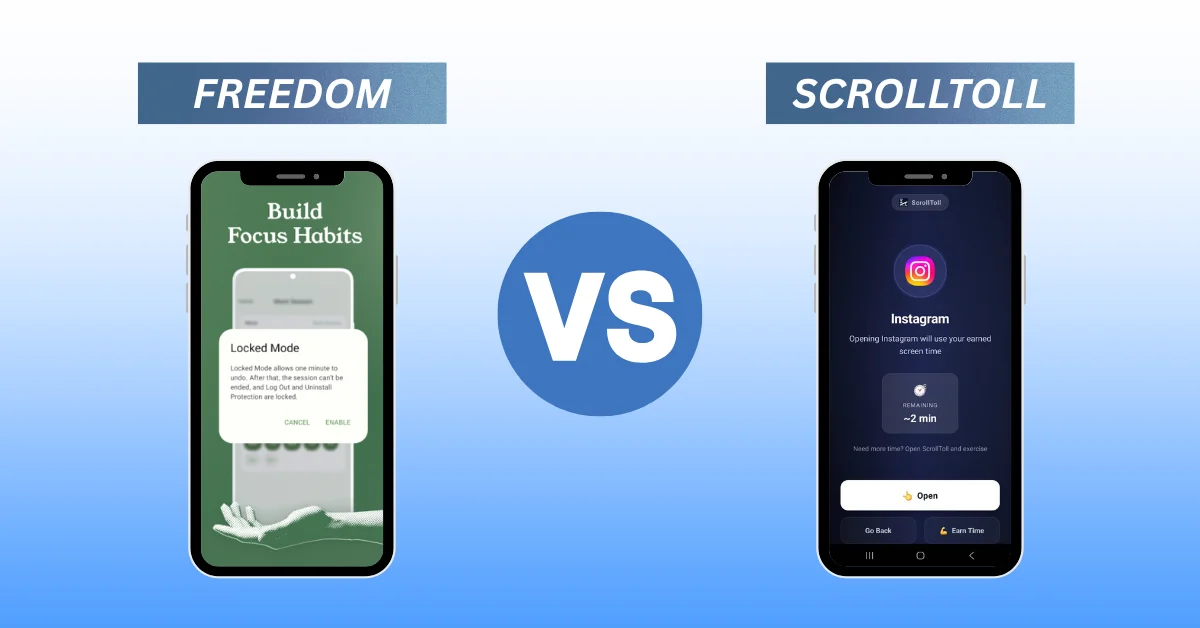
Freedom syncs one block session across your phone, computer and browsers, so opening Reddit on your laptop doesn't become the escape route when your phone is locked. Locked Mode stops you from ending a session early.
Platforms: iPhone, Android, Mac, Windows and browsers.
Price: from about $3.33/month billed yearly.
Watch out for: its strength is website and cross-device blocking, and it's a veteran tool with a less modern mobile experience. Compare it against the best Freedom alternatives before subscribing.
7. Brick: best physical app blocker
Best for: people who want the off switch to live outside their phone.
Brick is a small NFC device. You tap your phone on it to block a set of apps, and tap again to unblock them. Leave it on the fridge and unlocking Instagram means getting up and walking to the kitchen.
Platforms: iPhone and Android, plus the device.
Price: $59 one-time for the device, with a free companion app.
Watch out for: it only works if the Brick stays somewhere inconvenient, and losing it means losing your unlock method. If you want physical friction without extra hardware, ScrollToll puts the effort in your body instead of a gadget.
8. Jomo: best for encouragement over restriction
Best for: people who rebel against strict rules.
Jomo (short for "joy of missing out") uses friendly design, focus sessions and challenges to help you cut back without feeling punished. It is well made and feels positive to use.
Platforms: iPhone and Mac only.
Price: free to start; Jomo Plus is $5.99/month or $29.99/year.
Watch out for: no Android version, and its gentler style may not hold if your habit is strong. See our Jomo alternative comparison.
9. Apple Screen Time and Android Digital Wellbeing: best built-in option
Best for: checking your numbers and setting basic limits.
Both are already on your phone and cost nothing. They show where your time goes and let you set daily app limits. For many people, that is the right first step.
Price: free.
Watch out for: "Ignore Limit" on iPhone and pausing limits on Android are one tap away, and you know your own passcode. Our guide on how to lock apps on iPhone and Android shows how to set them up properly and which settings are easiest to bypass.
Best app blocker for iPhone
For most iPhone users, ScrollToll is the pick if you need something you can't skip, and Opal is the pick if you want polished scheduled sessions. one sec and ScreenZen are better if you only need a nudge. Note that almost every iPhone app blocker, including ScrollToll, runs on Apple's Screen Time framework. That makes them reliable, but a determined person can still revoke permissions in Settings. The difference is how much effort each app puts between you and that decision.
Best app blocker for Android
AppBlock is the most flexible Android blocker for schedules, and ScrollToll is the strongest choice if you want every unlock to cost real effort. ScreenZen and one sec both work well on Android as lighter options. Opal runs on Android too, but its Android version is less complete than its iPhone one.
Best free app blocker
ScreenZen is the best fully free app blocker, followed by the free tiers of AppBlock and one sec (limited to one app) and the tools already built into your phone. Free blockers are a great place to start. If you find yourself skipping every delay, that's a sign you need a blocker with a real cost to unlock, which usually means a paid one.
How to choose the right app blocker
Pick based on how you actually lose time, not on the longest feature list.
- You open apps without thinking: one sec or ScreenZen. A pause is often enough.
- Your distractions follow a schedule: AppBlock or Opal. Set it once and let it run.
- You scroll on your laptop too: Freedom. For desktop-first blocking, see our best distraction blocking apps guide.
- You want a physical barrier: Brick, or ScrollToll if you'd rather not carry hardware.
- You've bypassed every blocker you've tried: ScrollToll. When unlocking takes pushups, "just five more minutes" stops being automatic.
Not sure how much time you're really losing? Try the free ScrollToll screen time calculator. It takes a minute, gives you a screen time grade and shows how much of your year goes to your phone, which is usually the push people need to pick a blocker and stick with it.
What app blockers can't do on their own
An app blocker removes the easy path to a distracting app. It doesn't change why you reach for your phone. The blockers that work long term are paired with a few habits: charging your phone outside the bedroom, turning off non-essential notifications, and having something else to do when the urge hits. That last one is the reason ScrollToll replaces the scroll with movement, not just a locked screen. If one app is the main problem, start with a focused guide such as how to block TikTok or how to block Instagram, and if nights are the hardest, see how to stop scrolling TikTok at night.
Judge any app blocker at week three, not week one. Almost everything works while it's new.
Frequently Asked Questions
What is the best app blocker?
It depends on how you lose time. ScrollToll is the best app blocker for people who bypass their own limits, because unlocking an app requires camera-verified exercise. Opal is the best scheduled blocker for iPhone, AppBlock is the best for Android, one sec is best for a gentle pause, and ScreenZen is the best free option.
What is the best free app blocker?
ScreenZen is the best fully free app blocker for iPhone and Android. AppBlock and one sec also have free tiers, and Apple Screen Time and Android Digital Wellbeing are built into your phone at no cost, though both are easy to override.
What is the strictest app blocker for iPhone?
The strictest iPhone blockers are the ones that put a real cost on unlocking. ScrollToll requires verified exercise to unlock apps or change your block list, Brick requires tapping a physical device, and Opal's Deep Focus stops you from ending a session early. Because most iPhone blockers use Apple's Screen Time framework, a determined user can still remove permissions in Settings, so strictness is about how much effort each app adds.
Can app blockers block websites too?
Some can. Freedom, Opal, AppBlock and one sec can block or add friction to websites. ScrollToll blocks apps on phones but not individual websites, so if your main distraction is a browser, pair it with a website blocker.
Is there an app blocker that makes you exercise to unlock apps?
Yes. ScrollToll locks your chosen apps and lets you earn screen time by doing pushups, squats, overhead reaches, walks or memory challenges. Your phone's camera counts reps on device, and no video is recorded or stored.
Do app blockers actually work?
They work best when unlocking takes more effort than the habit is worth to you in that moment. Research on one sec found that even a short pause reduces app openings, while stricter blockers help people who skip pauses. Pairing any blocker with habits like keeping your phone out of the bedroom makes the biggest difference.
Why do I keep turning off my app blocker?
Usually because turning it off costs almost nothing. A passcode you set yourself or a snooze button is easy to use when you're tired or stressed. Blockers that require a physical action, like exercise or tapping a separate device, are much harder to dismiss on autopilot.
Are app blockers safe to use?
Reputable app blockers on iPhone use Apple's Screen Time framework, which limits what data they can see. On Android, they typically use accessibility or usage-access permissions. Check each app's privacy policy, and prefer apps that process data on your device, as ScrollToll does with its camera-based exercise detection.
Ready to break the loop?
Download ScrollToll and start earning your screen time through real movement.