Scheduled app blockers like AppBlock help, but they leave the door wide open during unblocked hours. Here is why blocking on a timer is not the same as breaking the doomscrolling loop — and what actually works in 2026.
In the digital age, doomscrolling — the endless consumption of negative news and social media content — has become a widespread challenge, especially among Gen Z, students, and social media enthusiasts. Many turn to app blockers like AppBlock or explore alternatives to regain control over their screen time. Yet, despite these tools, doomscrolling often persists. This article examines why scheduled app blocking sometimes fails to curb doomscrolling, compares AppBlock vs screen time app solutions, and highlights what to look for in the best app to stop doomscrolling in 2026.
Why Doomscrolling Persists Even With App Blockers?
Doomscrolling feeds on:
- Compulsive checking of apps like Twitter, Instagram, or TikTok
- Constant updates on distressing news stories
- Social validation loops fueled by likes and comments
This behavior leads to:
- Increased anxiety and stress
- Reduced productivity for students
- Disrupted sleep patterns
Many users seek an app blocker that actually works to break this cycle but struggle with the limitations of current tools.
AppBlock Review 2026: Does Scheduled Blocking Actually Work?
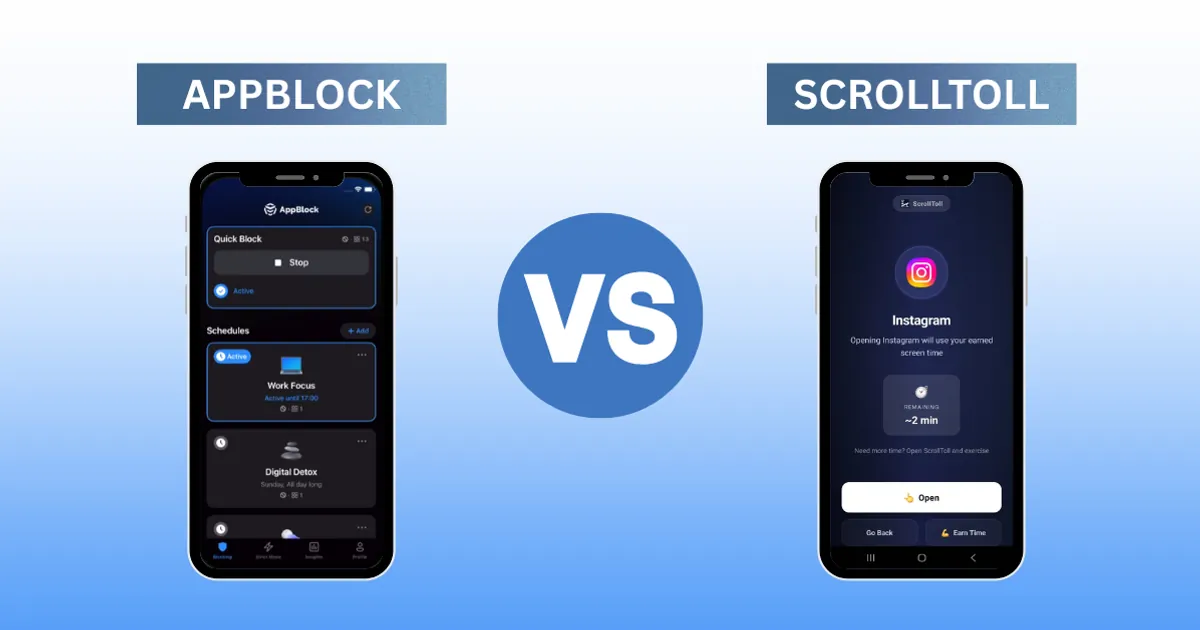
AppBlock is popular among those wanting to limit distractions by creating schedules that block specific apps during certain hours.
Features include:
- Customizable blocking schedules
- Profiles for different activities (study, work, leisure)
- Temporary pause options for emergencies
Strengths:
- User-friendly interface suitable for students and Gen Z
- Flexible scheduling tailored to daily routines
- Notifications reminding users about blocked apps
Limitations:
- Temptation during unblocked times: Users often binge during free periods.
- Easy bypass: Temporary pauses can be misused.
- No content filtering: Blocking entire apps doesn't stop doomscrolling within allowed windows.
- Lack of behavioral insights: Users don't get feedback on usage patterns.
These factors mean that scheduling alone cannot fully prevent doomscrolling behaviors.
How Scrolltoll Stops Doomscrolling in Real Time (Not on a Schedule)?
Scrolltoll positions itself as an AppBlock alternative focused not just on blocking but on reshaping user habits.
Key Features:
- Real-time monitoring of scrolling time per app
- Gentle nudges encouraging breaks before deep dive into doomscrolling
- Usage analytics highlighting peak distraction periods
- More stringent lockout modes requiring effortful steps to disable blocking
How Scrolltoll Tackles Doomscrolling Differently
Instead of rigid schedules, Scrolltoll emphasizes awareness and behavioral change:
This approach aligns with psychological research suggesting that self-awareness is crucial to breaking addictive digital habits.
AppBlock vs Scrolltoll: Head-to-Head Feature Comparison
| Feature | AppBlock | ScrollToll |
|---|---|---|
| When does it block? | Pre-set schedules or manual quick block | The moment doomscrolling is detected, mid-scroll |
| How do you unlock? | Wait for schedule to end / override settings | Complete AI-tracked exercise |
| Can you bypass it? | Yes. disable blocker, wait out timers | No. exercise is non-negotiable |
| Mid-session real-time locking? | NO | YES |
| Physical exercise to earn screen time? | NO | YES |
| AI movement tracking? | NO | YES |
| Requires discipline to set up? | Yes, rules made in advance | No, it intervenes automatically |
| Platform | iOS & Android | iOS & Android |
| Price | Free / $4.99 per month / $29.99 per year | Trial is available and Paid version prices are kept lowest with respect to every region. |
Comparison of features between ScrollToll and AppBlock
Try ScrollToll here: getscrolltoll.app
Screen time apps integrate well with device ecosystems but lack advanced scheduling flexibility found in AppBlock or Scrolltoll.
The Psychology of Doom-scrolling: Why Willpower Alone Fails
Blocking apps creates external barriers but does not address internal triggers such as boredom, anxiety, or FOMO (fear of missing out).
Key points include:
- Willpower is limited: Scheduled blocks can be overridden when cravings peak.
- Emotional triggers matter: Without managing emotions driving doomscrolling, users relapse.
- Habit formation requires feedback: Apps lacking real-time insights miss chances to reinforce positive change.
- Mindfulness is critical: Awareness tools help users recognize and interrupt automatic scrolling loops.
An effective solution combines blocking technology with behavioral nudges and self-reflection prompts.
Best App to Stop Doom-scrolling in 2026: What to Actually Look For
Looking ahead, users need more than simple blockers. The best tools will feature:
- ★Adaptive blocking: Dynamic schedules based on usage patterns rather than fixed times
- ★Content awareness: Ability to detect negative or addictive content within social media feeds
- ★Behavioral coaching: Integrated tips and exercises promoting mindful use
- ★Community support: Social accountability features encouraging collective discipline
- ★Cross-device syncing: Seamless control across phones, tablets, laptops
Scrolltoll's emphasis on behavioral insights points toward this future, while classic blockers like AppBlock provide foundational control mechanisms.
5 Habits That Help You Stop Doomscrolling (Beyond App Blockers)
Beyond choosing the right app, consider these strategies:
- Define clear goals: Limit social media use purposefully.
- Use scheduled breaks: Replace scrolling with physical activity or hobbies.
- Disable notifications: Reduce triggers prompting compulsive checks.
- Reflect daily: Journal feelings associated with doomscrolling urges.
- Seek peer support: Share progress with friends facing similar challenges.
Final Verdict: AppBlock vs Scrolltoll — Which One Actually Works?
App blockers such as AppBlock or Scrolltoll help manage screen time but do not fully solve the underlying behavioral issues fueling doomscrolling. Combining technology with mindfulness practices offers better outcomes for Gen Z, students, and social media users eager to reclaim their attention in 2026 and beyond.
Choosing an app blocker that actually works means prioritizing tools that promote awareness alongside restriction, ushering in a healthier relationship with the device you carry every day.
Evidence & References
Ready to break the loop?
Download ScrollToll and start earning your screen time through real movement.