The 6 best ways to stop phone addiction, plus a 4-week plan, a quick self-check and the best apps to help. Simple, research-backed steps that actually stick.
Quick answer: To stop phone addiction, don't rely on willpower. Change your setup instead. Measure your screen time, find the moments that trigger you, add friction before your most addictive apps open, replace scrolling with something physical, and protect your sleep. Most people need about four weeks of steady practice before the urge to check fades.
Here is the short version of the plan:
- Measure: Check your real screen time and pickups.
- Spot your triggers: Notice when and why you reach for your phone.
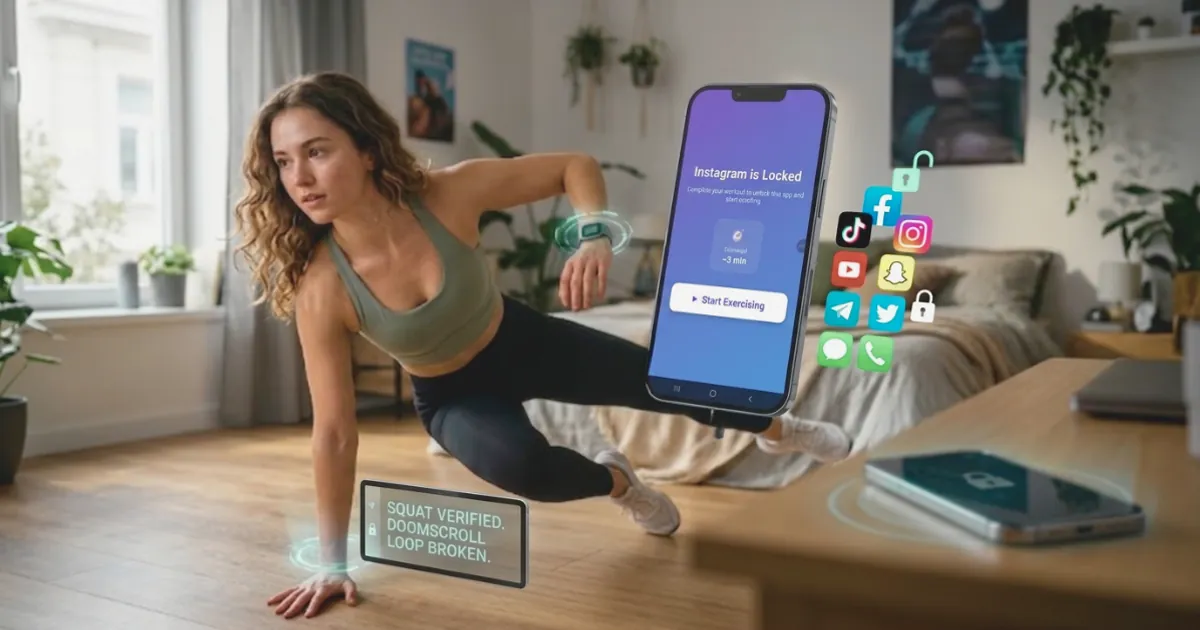
- Add friction: Make addictive apps harder to open. ScrollToll: Screen-Time Gym does this by locking apps like TikTok and Instagram until you do a few pushups or squats.
- Replace the habit: Swap scrolling for movement, people or rest.
- Protect your nights: Keep the phone out of bed.
- Stick with it for 4 weeks: Expect a rough first week, then it gets easier.
You are not alone in this. In a 2026 Pew Research Center survey of 9,750 US adults, 53% said they spend too much time on their phone, rising to 70% of adults under 30. Almost half had tried to cut back in the past year, but only a quarter of them said it went very well. The usual reason is simple: people try to quit without a plan. This article gives you one.
Is Phone Addiction Real?
Phone addiction is not an official medical diagnosis. Psychiatry's main diagnostic manual, the DSM-5, does not list it. Researchers usually call it "problematic smartphone use", and they study it seriously because it shares features with other behavioral addictions: losing control, feeling restless without the phone, and carrying on even when it causes problems.
So while the label is informal, the experience is very real. If your phone use is hurting your sleep, work, studies or relationships, and you have tried to cut down without success, it is worth treating as a habit problem that needs a real plan.
Quick Self-Check: How Hooked Are You?
Answer yes or no to each question. Be honest. Nobody else sees your score.
| # | Question |
|---|---|
| 1 | I check my phone within 10 minutes of waking up |
| 2 | I pick up my phone without a reason and only notice later |
| 3 | I use my phone in bed and it delays my sleep |
| 4 | I feel restless or anxious when my phone is out of reach |
| 5 | I lose track of time on short videos or social feeds |
| 6 | My phone use has caused problems at work, school or home |
| 7 | I have tried to cut down and gone back to old habits |
| 8 | I reach for my phone when I feel bored, stressed or lonely |
How to read your score:
- 0 to 2 yes: Your use is mostly under control. The tips below will help you keep it that way.
- 3 to 5 yes: Your phone is starting to run parts of your day. The 4-week plan is a good fit.
- 6 to 8 yes: Your phone habit is strong. Follow the full plan, use an app that adds friction, and consider talking to a professional if it affects your mood or daily life.
This is a self-reflection tool, not a diagnosis. Researchers use validated questionnaires such as the Smartphone Addiction Scale when they need an accurate measure.
Why Your Phone Is So Hard to Put Down
Phone use runs on a habit loop with three parts:
- Cue: A trigger, like boredom, a notification, a quiet moment or a stressful email.
- Routine: You unlock the phone and open an app, often without deciding to.
- Reward: The feed gives you something new, which feels good for a second.
Every loop makes the next one more automatic. Apps are designed to keep that loop spinning with endless feeds, autoplay and notifications. That is why "I'll just use it less" rarely works. You are using willpower against a system built by teams of engineers, and willpower is weakest exactly when you scroll most: late at night, tired and alone.
The fix is to break the loop at the routine step. If opening an app takes effort, the automatic habit has room to turn back into a choice.
The 6 Best Ways to Stop Phone Addiction
1. Measure your real screen time
You cannot change what you cannot see. Check your weekly average and your daily pickups:
- iPhone: Settings, then Screen Time, then See All App and Website Activity.
- Android: Settings, then Digital Wellbeing and parental controls.
Write down your three most-used apps and your number of pickups. That is your starting point. To see what your daily habit adds up to over a year and a lifetime, try the ScrollToll screen time calculator. Seeing six hours a day turn into three months a year is a strong wake-up call.
2. Find your triggers
For two days, notice what happens right before you pick up your phone. Common triggers:
- Waking up
- Waiting in line or on public transport
- Starting a hard task
- Feeling lonely, anxious or bored
- Lying in bed at night
You do not need to fix them yet. Just knowing your top two triggers tells you where to focus.
3. Add friction to your most addictive apps
This is the step most guides skip, and it is the one with the best evidence. In a 2023 study published in PNAS, adding a short delay before a chosen app opened led people to open it 57% less often after six weeks. The pause turned an automatic tap back into a decision.
Simple ways to add friction:
- Move social apps off your home screen and into a folder.
- Log out after every use.
- Turn off all notifications except calls and messages from real people.
- Use an app blocker that adds a step before an app opens.
ScrollToll: Screen-Time Gym takes this further. It locks apps like TikTok, Instagram, YouTube and Snapchat, and you unlock screen time by exercising: pushups, squats, jumping jacks or a short walk. Your phone's camera counts every rep on the device, so you cannot fake it, and no video is recorded or uploaded. Ten squats is a much longer pause than a few seconds, and it gets you moving. We explain how it works in our guide to the app blocker that needs exercise to unlock. If you want to compare options first, see our list of the best app blockers.
4. Replace scrolling with something real
Removing a habit leaves a gap, and gaps get filled. Plan what goes there instead. The best replacements are quick and physical:
- 10 squats or a 2-minute stretch
- A short walk around the block
- A text or call to a real friend
- A few pages of a book you keep where your phone used to be
Movement works especially well because it changes how you feel, which is what the scroll was trying to do in the first place.
5. Protect your sleep
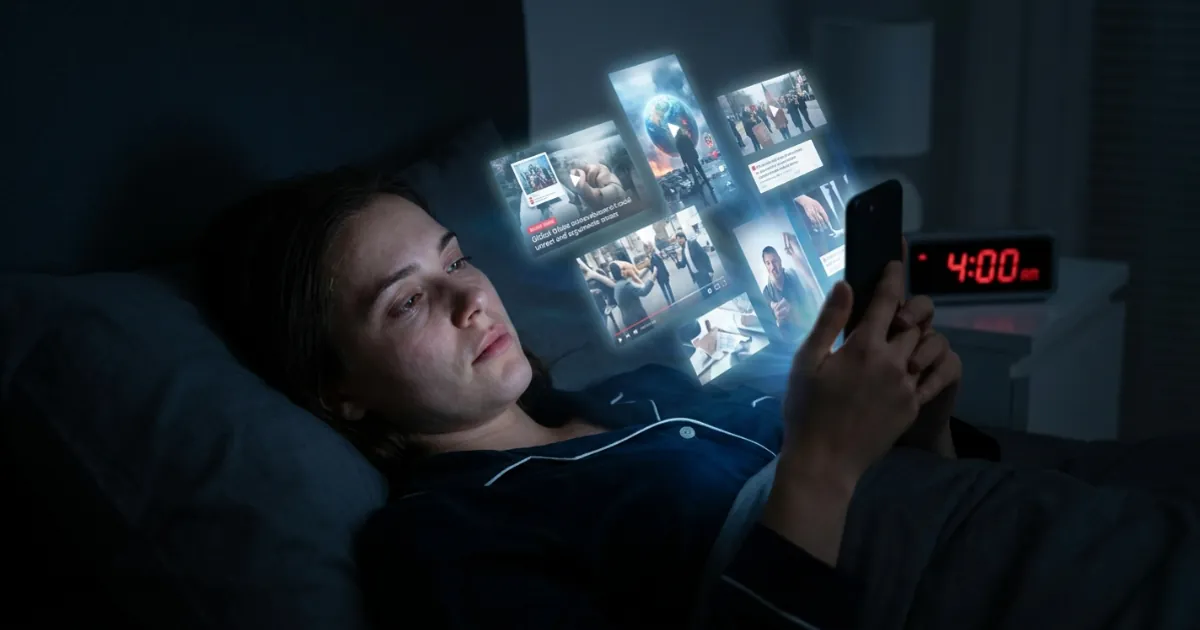
Night scrolling is the hardest habit to break and the most damaging. Try these:
- Charge your phone outside the bedroom.
- Use a cheap alarm clock instead of your phone.
- Stop screens 30 to 60 minutes before bed.
- If the phone has to stay nearby, lock social apps after a set time.
For more ideas, read our guide on how to stop scrolling TikTok at night.
6. Make it stick for 4 weeks
Habits take time to fade. Many experts suggest giving a change about a month before judging it. Use the plan below, and track one simple number each week: your average daily screen time.
Best Apps to Stop Phone Addiction
The best app is the one that adds real friction, not just a report you ignore. Here is how the main options compare.
| App | Platforms | How it helps | Best for |
|---|---|---|---|
| ScrollToll: Screen-Time Gym | iPhone, Android | Locks distracting apps until you earn screen time with exercise. Strict Mode stops you from undoing your rules | People who keep breaking their own limits |
| Screen Time (built in) | iPhone | Daily limits per app, downtime schedules | A first step if you have never tracked your use |
| Digital Wellbeing (built in) | Android | App timers, focus mode, bedtime mode | Android users who want simple limits |
Built-in limits are a good start, but most people learn to tap "ignore limit" within a week. That one tap costs nothing. ScrollToll: Screen-Time Gym replaces the tap with ten squats, which is just enough effort to make you ask whether you really want to open the app. For a wider comparison, see our full list of the best app blockers.
What Is ScrollToll: Screen-Time Gym?
ScrollToll: Screen-Time Gym is an app that locks your most distracting apps until you exercise. You choose apps like TikTok, Instagram or YouTube, and when your screen time runs out, you earn more with pushups, squats, jumping jacks or a short walk. Your phone's camera counts each rep on the device, so nothing is recorded or uploaded. It is available on iPhone and Android and starts with a 3-day trial.
Your 4-Week Plan to Break Phone Addiction
| Week | Focus | What to do |
|---|---|---|
| Week 1 | Awareness | Check your screen time daily. Note your top 2 triggers. Turn off non-essential notifications. |
| Week 2 | Friction | Move or lock your top 3 apps. Log out of social media. Set up an app blocker with exercise unlocks. |
| Week 3 | Replacement | Pick 2 replacement habits and use them every time a trigger hits. Keep the phone out of the bedroom. |
| Week 4 | Lock it in | Plan when you use your phone, like 20 minutes after dinner. Compare your screen time to week 1. |
What to expect along the way:
- Days 1 to 3: You will reach for your phone out of habit, often many times an hour. This is normal.
- Week 1: You may feel restless or bored. That feeling is the habit losing its grip.
- Weeks 2 and 3: The urges get weaker and less frequent. Many people notice they sleep better.
- Week 4: Picking up your phone starts to feel like a choice again.
What If You Need Your Phone for Work or School?
Most guides assume you can just put your phone away. Many of us cannot. The goal is not zero phone use. It is to separate useful time from compulsive time.
- Block apps, not the whole phone: Keep email, maps and work tools open. Lock only the feeds.
- Use a second home screen for work: Put only work apps on it during working hours.
- Batch your messages: Check them at set times instead of every time they buzz.
- Plan your scroll time: Give yourself a set window for social media so it does not leak into everything else.
Students can find more tips in our guide on how to focus on homework without phone distractions.
What to Do If You Slip
You will have bad days. A stressful week, a late night or a lonely weekend can send your screen time back up. It does not mean you failed.
- Do not reset to zero. Look at your weekly average, not one day.
- Ask what triggered the slip and plan for it next time.
- Tighten your friction for a few days, for example by turning on stricter app limits.
ScrollToll: Screen-Time Gym has a Strict Mode for exactly this. Removing an app from your block list takes verified exercise, a cool-down timer or a friend's approval, and any change that makes your rules easier takes 24 hours to apply. That stops a tired version of you from undoing your plan at midnight.
What Changes When You Cut Back
The benefits are not only about time. In a University of Pennsylvania study, students who limited social media to about 30 minutes a day for three weeks reported less loneliness and fewer symptoms of depression than those who carried on as usual. People who cut back often also report:
- Better sleep
- Longer focus on work and reading
- Less anxiety and comparison
- More time for exercise, hobbies and people
When to Get Professional Help
Self-help works for most people, but not everyone. Talk to a doctor or mental health professional if your phone use comes with low mood, anxiety, sleep problems that do not improve, or if it is seriously hurting your work, studies or relationships. Heavy phone use is sometimes a way of coping with something else, and that deserves real support.
Start Today
You do not need a perfect plan to begin. Do three things right now:
- Check your screen time and write down your top 3 apps
- Turn off notifications for those apps
- Put a lock on the one app you open most without thinking
The easiest way to do the last step is with ScrollToll: Screen-Time Gym. It locks your most addictive apps and turns every unlock into a few reps of exercise, so you scroll less and move more.
Download ScrollToll: Screen-Time Gym: get it on the App Store for iPhone or on Google Play. Every plan starts with a 3-day trial, so you can see how it fits your day before you subscribe. See all plans on our pricing page.
Frequently Asked Questions
How do I stop being addicted to my phone?
Start by measuring your screen time and noticing what triggers you to pick up your phone. Then add friction to your most addictive apps, for example by moving them off your home screen or using an app blocker, and replace scrolling with something physical like a short walk or a few squats. Keep your phone out of the bedroom and give the plan about four weeks before you judge the results.
Is phone addiction a real addiction?
Phone addiction is not an official diagnosis in the DSM-5, the main manual psychiatrists use. Researchers usually call it problematic smartphone use and study it because it shares features with other behavioral addictions, such as loss of control and restlessness without the phone. Even without a formal label, it can seriously affect sleep, focus and relationships.
What are the signs of phone addiction?
Common signs include checking your phone right after waking up, picking it up without a reason, losing track of time on feeds, using it in bed until late, and feeling anxious when it is out of reach. Another strong sign is trying to cut back and repeatedly going back to old habits. If several of these apply to you, your phone use is likely running parts of your day.
How long does it take to break phone addiction?
Most people need about four weeks of steady practice before the urge to check their phone fades noticeably. The first few days are usually the hardest, with frequent automatic reaching for the phone. Urges tend to weaken during the second and third weeks, especially if you add friction and replace scrolling with other activities.
Is it better to quit my phone cold turkey?
For most people, a gradual plan works better than quitting cold turkey. Sudden quitting often fails because the habit returns as soon as willpower runs out, and the failure can feel discouraging. Reducing step by step, adding friction to specific apps and planning what you will do instead tends to last longer.
What is the best app to stop phone addiction?
The most effective apps add friction before you can open a distracting app, rather than just showing you statistics. ScrollToll: Screen-Time Gym locks apps like TikTok and Instagram and makes you earn screen time by doing exercises such as pushups or squats, which your phone camera counts on the device. It is available on iPhone and Android and starts with a 3-day trial.
How do I stop using my phone at night?
Charge your phone outside the bedroom and use a separate alarm clock, so your phone is not within reach in bed. Stop using screens 30 to 60 minutes before sleep and replace that time with reading or a calm routine. If your phone has to stay nearby, lock social media apps after a set time each evening.
What should I do instead of scrolling?
Choose replacements that are quick and easy to start, because the urge to scroll usually comes in short moments. Good options are a few squats or a stretch, a short walk, texting a friend, or reading a few pages of a book you keep nearby. Physical activities work especially well because they change your mood, which is often what scrolling was trying to do.
When should I get professional help for phone addiction?
Consider talking to a doctor or mental health professional if your phone use comes with low mood, anxiety or ongoing sleep problems. Professional help is also worth seeking if heavy phone use is seriously affecting your work, studies or relationships and self-help steps have not worked. Sometimes heavy phone use is a way of coping with something else that needs support.
What is ScrollToll: Screen-Time Gym?
ScrollToll: Screen-Time Gym is an app that helps people break phone addiction by locking distracting apps until they exercise. Users earn screen time with pushups, squats, jumping jacks or walking, and the phone camera counts each rep on the device without recording video. It is available on iPhone and Android and starts with a 3-day trial.
Ready to break the loop?
Download ScrollToll and start earning your screen time through real movement.