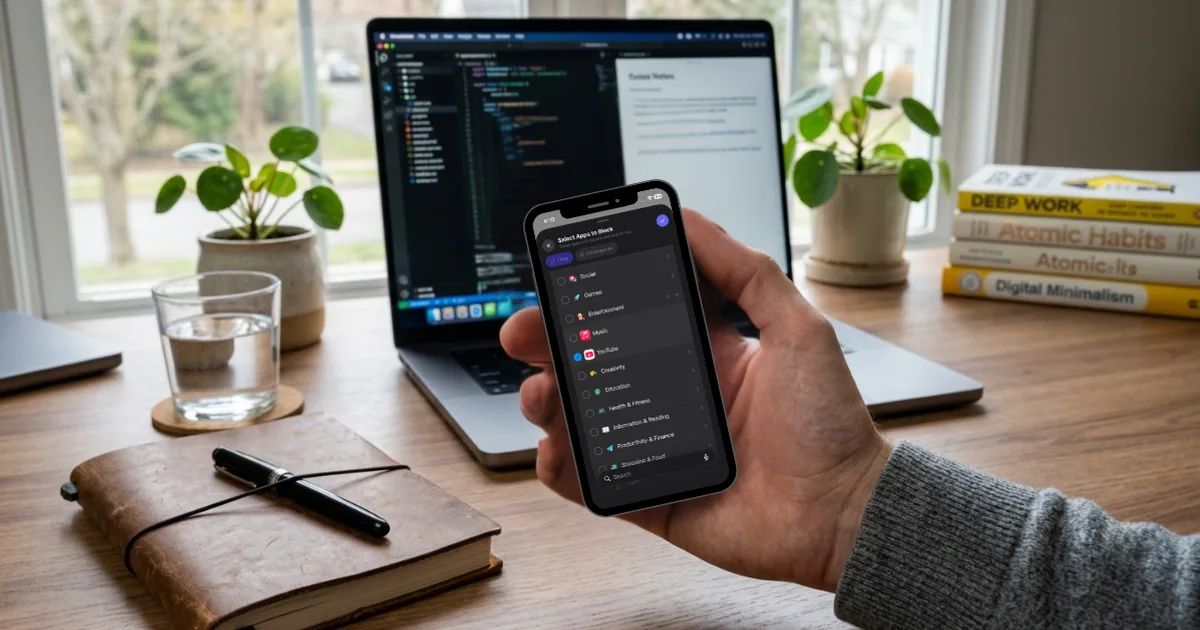
Struggling to focus? Learn why concentration feels so hard, the habits that actually help you focus better, and the apps that keep your phone from pulling you away.
To focus better, start by removing the distraction that pulls you away most often, which for most people is their phone. Then give yourself one clear task, work in short blocks with real breaks, and protect your sleep. Focus is less about willpower and more about setting up your day so that staying on task is the easy option.
If you keep asking yourself "how can I focus when I can't stop reaching for my phone," you're in good company. Researcher Gloria Mark has found that people now switch their attention on screens roughly every 47 seconds. That constant pull is why we built Scrolltoll, an app blocker that asks you to complete a short set of exercises before you can open the apps that distract you most. Below, you'll find why focusing feels so hard, the habits that genuinely help, and the apps worth adding to your routine.
Why is it so hard to focus?
Most people who struggle to concentrate aren't lazy or undisciplined. They're working in an environment built to interrupt them.
Every notification pulls you out of what you were doing, and getting back to the same depth of attention takes much longer than the interruption itself. Organizational researcher Sophie Leroy calls this "attention residue": when you switch tasks, part of your mind stays stuck on the previous one, so you perform worse on the new one.
Your phone doesn't even need to buzz to have an effect. A 2017 study from the University of Texas at Austin found that people performed worse on memory and attention tasks when their phone was simply on the desk, even face down and silenced.
Then there are feeds with no natural stopping point. If you often read the same paragraph three times without taking it in, you already know what zoning out means. Short-form video makes this worse, because every clip resets your attention before you've had a chance to settle. If that's your biggest struggle, our guide on how to get rid of YouTube Shorts addiction is a good place to start.
How do I focus better? Seven habits that work
Put your phone out of sight
This is the simplest change and one of the most effective. Leave your phone in another room while you work or study. If that isn't possible, put it in a drawer or your bag. Out of sight really does mean out of mind, at least more than face down on the desk.
Block the apps that pull you in
You don't need to block everything. For most people, two or three apps take up the majority of their distracted time. Blocking them during work hours turns opening them from a reflex into a decision. Our guide explains how to lock apps on iPhone and Android using the settings you already have, and if you want something stricter, a dedicated distraction free app removes the easy way out.
Decide on one specific task
"Work on the report" is vague enough that your mind will wander looking for a starting point. "Write the introduction and outline section two" gives it somewhere to go. The more specific the task, the less room there is for distraction.
Work in short blocks
The Pomodoro Technique is a good starting point: 25 minutes of focused work, followed by a 5-minute break, with a longer break after four rounds. Knowing a break is coming makes it much easier to ignore distractions in the meantime. Once 25 minutes feels comfortable, try stretching your blocks to 45 or 50.
Silence notifications while you work
Both iPhone and Android can silence alerts for a set period. On iPhone, this is called Focus, and on Android you'll find Focus mode inside Digital Wellbeing. Allow calls from the few people who genuinely need to reach you and let everything else wait.
Move during your breaks
A break spent scrolling isn't really a break, because your attention is still being pulled in a dozen directions. Standing up, stretching, or doing a few squats gets blood moving and helps you return to your task with a clearer head.
Protect your sleep
No focus technique can make up for a short night. Sleep has a direct effect on attention and memory, and late-night scrolling is one of the most common reasons people sleep less than they intended.
How to improve concentration over time
Concentration works a lot like a muscle. If you're used to checking your phone every few minutes, a full hour of deep focus will feel impossible at first, and that's normal. Start with sessions you can actually finish, notice when your mind drifts, and gently bring it back without judging yourself.
It also helps to look at how much of your day goes to passive scrolling. The less time your brain spends jumping between short clips and posts, the easier it becomes to stay with one thing for longer. If endless feeds are the main issue, a doomscrolling prevention app can help you break the habit while your attention rebuilds.
Apps that help you focus
The right tools can make focus easier instead of harder. These are the ones worth trying.
Scrolltoll
Scrolltoll blocks the apps that distract you and asks you to complete a quick set of exercises, like squats or push-ups, before you can unlock them. Unlike your phone's built-in limits, there's no "ignore limit" button to tap without thinking. Every time you're tempted to scroll, you either get back to work or get some movement in. It works on both iPhone and Android, comes with a 3-day free trial, and offers student plans all year.
Forest
Forest turns focus into a small game. You plant a virtual tree that grows while you stay off your phone, and if you leave the app early, the tree withers. It works well for short, motivated study sessions.
Todoist
Todoist is a task manager that helps you decide exactly what to work on each day. Knowing your next task in advance saves the mental energy you'd otherwise spend deciding where to start.
Notion
Notion keeps notes, to-do lists and projects in one place. It's especially useful if your focus breaks down because your information is scattered across different apps.
Your phone's built-in tools
Screen Time on iPhone and Digital Wellbeing on Android let you set daily limits for individual apps. They're a reasonable first step, although they're easy to override when temptation is strong.
For a wider look at the tools people are using this year, see our roundup of the best productivity apps 2026.
Where to start
You don't need to adopt every habit at once. Start with two: put your phone out of sight while you work and block the apps that take the most of your time. Once you notice the difference, add the others one at a time.
Frequently Asked Questions
How can I focus when I keep getting distracted?
Start by removing your biggest distraction, which for most people is their phone. Put it in another room, silence notifications and work in short blocks of around 25 minutes. Focus is much easier when your environment is not constantly interrupting you.
How do I focus on studying?
Choose one specific task, study in short sessions with planned breaks and keep your phone out of sight. Using your breaks to move instead of scrolling also helps you return to studying with a clearer mind.
How can I improve my concentration quickly?
The fastest improvement usually comes from cutting phone distractions. Many people notice a difference within a few days of blocking their most distracting apps during work or study time.
Why can't I focus on anything?
Common causes include constant notifications, frequent task switching, keeping your phone nearby and not getting enough sleep. If poor concentration is persistent and affects your daily life, it is worth speaking to a professional.
What is the best app to help you focus?
It depends on what distracts you most. If your phone is the main problem, an app blocker like Scrolltoll is the most direct option. For planning your work, tools like Todoist or Notion are useful.
Ready to break the loop?
Download ScrollToll and start earning your screen time through real movement.