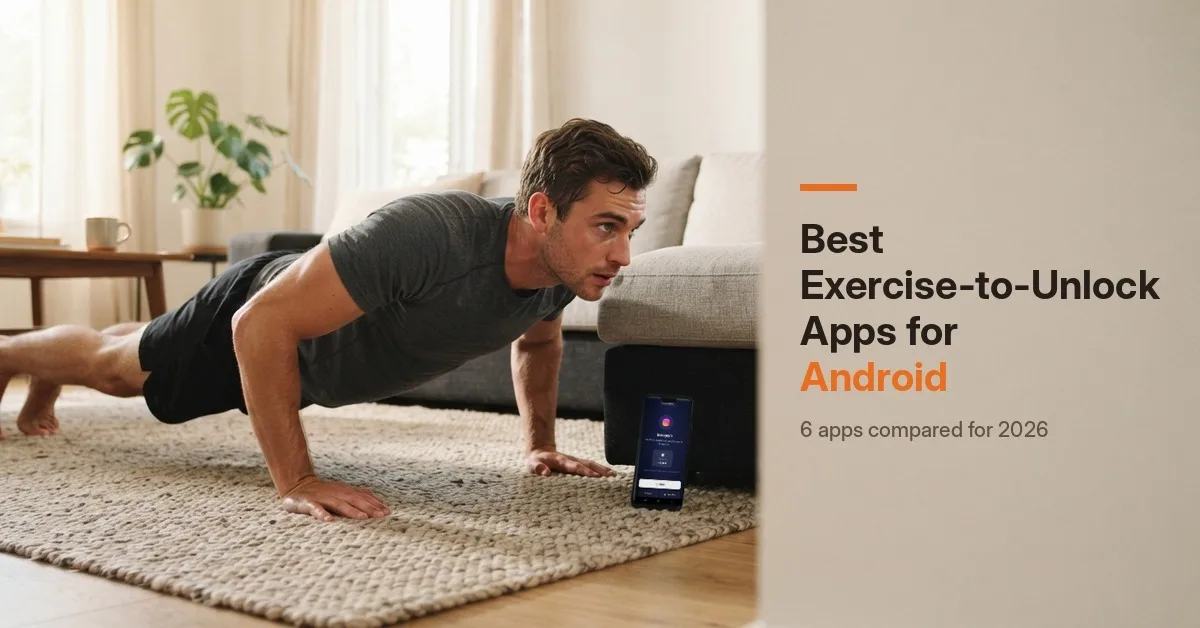
Android apps that lock TikTok, Instagram and YouTube until you do push ups, squats or walk. Compared by exercises, camera counting, price and how strict they are.
Quick answer: The best exercise-to-unlock apps for Android are ScrollToll: Screen-Time Gym (best overall, with camera-counted reps, banked time and strict rules), PushUp Time - App Blocker (the most downloaded, simple push-up unlocks), Outscroll (the biggest exercise library), 2fit2scroll (a lightweight camera-counted option), Uplock (push ups, squats and steps in one) and Stroll (best if you only want to walk). Most exercise blockers launch on iPhone first, so the Android choice is smaller, and some of these apps are very new. Check how established each one is before you pay.
This guide is published by ScrollToll: Screen-Time Gym, one of the apps on this list.
Key takeaways
- Android has fewer options than iPhone: most exercise blockers are iPhone-only, so this list covers the ones actually on Google Play.
- Camera counting matters: apps that count reps with the camera can't be fooled by tapping a button.
- Many are brand new: several apps here have fewer than 1,000 downloads, so check reviews and update dates.
- Android blockers need extra permissions: accessibility and usage access are normal for this kind of app, and you should know why.
- Pick by how you'll actually move: push ups, squats, a mix, or just walking.
How exercise-to-unlock apps work on Android
You choose the apps you scroll too much, like TikTok, Instagram or YouTube. When you try to open one, the app blocks it and asks you to earn time first: a set of reps counted by your phone's camera, or a number of steps. Do the work and the app unlocks for a set number of minutes, then locks again.
On Android, these apps can block other apps more directly than on iPhone, because Android lets them detect which app is on screen. That's why they ask for permissions like Accessibility, Usage access and Display over other apps. It's also why some Android blockers can block just part of an app, such as Reels, which iPhone blockers can't.
The best exercise-to-unlock apps for Android, compared
| App | Best for | How you earn time | Camera counting | Price model | Downloads on Google Play |
|---|---|---|---|---|---|
| ScrollToll: Screen-Time Gym | Best overall, strict rules | Push ups, squats, overhead reaches and more | Yes, on the device | 3-day trial, then paid | 10K+ (4.7 stars) |
| PushUp Time - App Blocker | Simple push-up unlocks | Push ups, 1 to 100 reps | Not stated | Free with in-app purchases | 100K+ (4.8 stars) |
| Outscroll | The biggest exercise library | 40+ reps and holds, steps with Premium | Yes | Free plan with limits; Premium | 100+ |
| 2fit2scroll | A light, camera-counted option | Push ups and squats; 9 exercises with Pro | Yes, on the device | Free for 1 app; Pro with a 7-day trial | 10+ |
| Uplock | Reps and steps in one | Push ups, squats, steps | Not stated | Not stated | 100+ |
| Stroll | Walking only | Steps | Not needed | Appears free | 1K+ (4.8 stars) |
Ratings, downloads and plans were checked on Google Play in November 2026. They change often, so check each listing before you pay.
1. ScrollToll: Screen-Time Gym: best overall
Best for: people who've tried blockers before and always found a way around them.
ScrollToll: Screen-Time Gym locks the apps you choose until you earn time with exercise. Your phone's camera counts every rep with on-device pose detection, so you can't fake it, and nothing is recorded or uploaded. Each rep earns 1 minute by default, and you can bank up to two hours a day to spend later, so you aren't doing squats in the middle of a meeting.
What sets it apart is what happens when you try to cheat. Strict Mode makes removing an app from your block list take verified reps, a cool-down or a friend's approval, and any change that loosens your rules waits 24 hours.
- Platforms: Android and iPhone.
- Price: 3-day trial, then a paid subscription, with discounted student plans.
- Watch out for: it's a paid app after the trial, and it blocks apps, not websites.
See how an app that blocks social media until you exercise works, or read about push ups for screen time.
2. PushUp Time - App Blocker: most downloaded
Best for: people who want a simple "do push ups, get time" rule.
PushUp Time - App Blocker, from the developer AZ Screen Recorder, is the most downloaded app in this list, with 100K+ installs and a 4.8 rating on Google Play. You pick the apps to block and set how many push ups (1 to 100) buy a set amount of screen time. It also has focus schedules that keep apps blocked during work or study hours.
- Price: free to download, with in-app purchases.
- Watch out for: it's built around push ups, and the listing doesn't say how reps are counted. Several different apps on the stores use a similar "PushUp Time" name, so check the developer before installing.
3. Outscroll: the biggest exercise library
Best for: people who get bored doing the same exercise every time.
Outscroll counts more than 40 reps and holds with your camera, including push ups, squats, sit-ups and planks. With Premium, steps synced through Health Connect can also become minutes. A Hard Mode removes the free daily unlocks.
- Price: a free plan with limits (two blocked apps, two exercise sessions a day, one free unlock a day), and Premium as a monthly or yearly subscription with a 7-day trial on the yearly plan.
- Watch out for: it's very new on Android (100+ downloads), and the free plan's daily free unlock is a built-in way around the block unless you turn on Hard Mode.
4. 2fit2scroll: a lightweight camera-counted option
Best for: trying exercise-to-unlock with one app, without paying.
2fit2scroll uses on-device pose detection to count reps, and says camera frames are analysed in memory and never stored or uploaded. The free version blocks one app and unlocks it with push ups or squats. Pro adds unlimited apps, all 9 exercises and custom rep targets.
- Price: free for one app; Pro has a 7-day trial with no card required.
- Watch out for: it's brand new (10+ downloads), so expect rough edges.
5. Uplock: reps and steps in one
Best for: people who want to earn time from both workouts and walking.
Uplock lets you earn screen time from push ups, squats and steps, with a built-in step counter and adjustable difficulty and minutes per exercise.
- Price: not stated on the listing.
- Watch out for: the listing doesn't say whether reps are counted by the camera, and it was last updated in January 2026.
6. Stroll: best for walking only
Best for: people who can't or don't want to do floor exercises.
Stroll turns steps into screen time. You set a daily walking target and choose how many steps unlock a minute. It's rated 4.8 on Google Play, has no ads, and reviewers say it didn't cost them anything.
- Price: appears free.
- Watch out for: walking only, with no rep-based options.
What to check before installing an exercise blocker on Android
- Permissions: Accessibility, Usage access and Display over other apps are normal for blockers. Camera access is needed for rep counting. Be wary of an app that asks for more than its features need.
- Privacy: check the "Data safety" section on Google Play. Look for on-device camera processing and no video uploads.
- Battery optimization: some Android phones, especially Samsung, Xiaomi and OnePlus, close background apps to save battery, which can stop a blocker working. If blocks stop working, go to Settings > Apps > [the blocker] > Battery and set it to unrestricted.
- How easy it is to switch off: look for a strict mode, cool-downs or a trusted person who has to approve changes. Without one, uninstalling the blocker is the easiest bypass.
- How established the app is: downloads, reviews and the last update date tell you whether the app is likely to be supported next year.
Which exercise-to-unlock app should you choose?
| If you… | Choose |
|---|---|
| Keep finding ways around every blocker | ScrollToll: Screen-Time Gym |
| Just want "push ups for time", simply | PushUp Time - App Blocker |
| Want lots of exercise variety | Outscroll |
| Want to try it free on one app | 2fit2scroll |
| Want to earn time from steps and reps | Uplock or ScrollToll: Screen-Time Gym |
| Only want to walk | Stroll |
Not set on exercise? See our full list of the best app blockers for Android and iPhone, or compare apps like Opal, whose Android version is lighter than its iPhone app.
Download it on Google Play or the App Store.
Frequently Asked Questions
What is the best exercise-to-unlock app for Android?
ScrollToll: Screen-Time Gym is the best overall pick, with camera-counted reps, banked time and a Strict Mode that's hard to undo. PushUp Time - App Blocker is the most downloaded simple option, Outscroll has the biggest exercise library, and Stroll is best if you only want to walk.
Is there a free app that makes you do push ups to unlock apps on Android?
Yes, with limits. 2fit2scroll is free for one app with push ups or squats, Outscroll has a free plan with daily limits, and PushUp Time - App Blocker is free to download with in-app purchases. ScrollToll: Screen-Time Gym starts with a 3-day trial, then it's paid.
Can Android apps count push ups with the camera?
Yes. ScrollToll: Screen-Time Gym, Outscroll and 2fit2scroll use the phone's camera with pose detection to count reps. The better ones process everything on the device and don't record or upload video.
Is there an app that makes you walk to unlock apps on Android?
Yes. Stroll turns steps into screen time, Uplock combines steps with push ups and squats, and Outscroll converts steps into minutes with its Premium plan.
Why does an exercise blocker need Accessibility permission on Android?
Android blockers use Accessibility and Usage access to see which app is on screen, so they can block it. It's a normal requirement for this kind of app. Install only from Google Play and check the Data safety section.
Why did my exercise blocker stop working on Android?
Usually battery optimization. Some phones close background apps to save battery. Set the blocker's battery usage to unrestricted in Settings > Apps, and make sure its Accessibility permission is still on.
Are exercise-to-unlock apps better on Android or iPhone?
Android gives blockers more control, for example blocking part of an app like Reels. iPhone has more exercise-to-unlock apps to choose from. ScrollToll: Screen-Time Gym works on both.
Ready to break the loop?
Download ScrollToll and start earning your screen time through real movement.