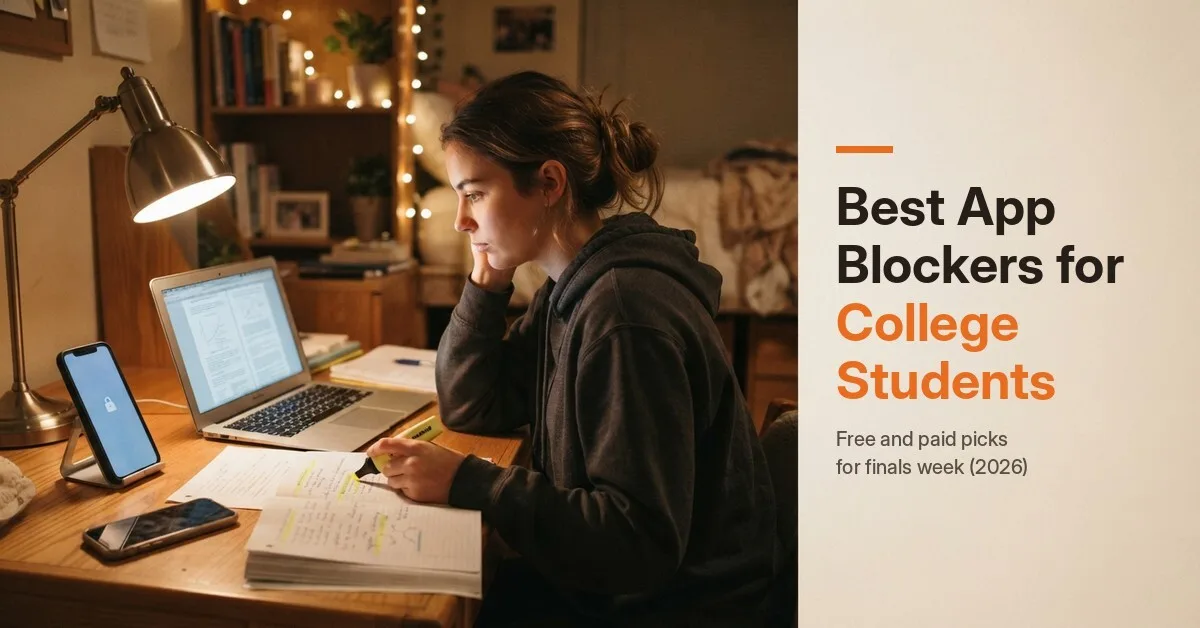
The best app blockers for college students, picked by study situation: lectures, finals week, late-night scrolling and laptop work. Free and paid options compared.
Quick answer: The best app blocker for a college student depends on where you get distracted. For free, built-in blocking, start with Screen Time on iPhone or Digital Wellbeing on Android. ScreenZen is a strong free option that adds a pause before distracting apps. Freedom is the best pick if you study on a laptop and phone, because it blocks across devices. Forest makes focus sessions feel like a game, and Opal suits students who want scheduled deep-focus blocks. If you keep breaking your own rules, ScrollToll: Screen-Time Gym locks your most-scrolled apps until you do a few push ups or squats, which turns every phone break into a movement break.
This post is published by ScrollToll: Screen-Time Gym, one of the apps on this list.
Key takeaways
- Pick by situation, not by ranking. The right blocker for lectures is different from the right blocker for finals week.
- Start free. iPhone and Android both have built-in blocking, and several good apps have free versions.
- Block your laptop too if most of your studying happens there. Most phone blockers don't touch your browser.
- The best blocker is one you can't easily switch off. If you keep undoing your own limits, choose an app with stricter settings.
Why your phone hurts your studying, even face down
In a 2017 study by Ward and colleagues, students did worse on tests of working memory and attention when their phone was on the desk, even turned face down and silent, than when it was in another room. Just having it nearby used up some of their attention.
That's the case for app blockers: they don't make you more disciplined, they remove the decision. Instead of saying no to Instagram 40 times during a study session, you say no once, when you set up the block.
The best app blockers for college students compared
| App | Best for | How it blocks | Free option | Platforms |
|---|---|---|---|---|
| Screen Time (iPhone) | A free, built-in start | App limits and downtime schedules | Yes, built in | iPhone, iPad, Mac |
| Digital Wellbeing (Android) | A free, built-in start on Android | App timers and focus mode | Yes, built in | Android |
| ScreenZen | Cutting mindless opens for free | A wait before the app opens, plus limits | Yes | iPhone, Android |
| Freedom | Studying on laptop and phone | Blocks sites and apps across all your devices at once | Free trial, then paid | iPhone, Android, Mac, Windows, Chrome |
| Forest | Making focus sessions fun | Grow a virtual tree that dies if you leave the app | Varies by platform | iPhone, Android, Chrome |
| Opal | Scheduled deep-focus blocks | Schedules, focus sessions and app limits | Free plan; paid Pro | iPhone, Android, Mac |
| one sec | A gentle nudge | A short breathing pause before the app opens | Free version with limits | iPhone, Android, desktop |
| ScrollToll: Screen-Time Gym | Students who keep breaking their own rules | Locks apps until you earn time with camera-counted reps | 3-day trial, then paid; student discounts available | iPhone, Android |
Plans and prices change often. Features above were checked in November 2026, so confirm current prices on each store page before you pay. Wondering about Opal's free plan? Read is Opal free for what it covers.
The best app blocker for each study situation
During lectures: Screen Time or Digital Wellbeing
Set a downtime schedule that matches your class timetable, so social apps lock automatically when lectures start. It's free and already on your phone. The weakness: on iPhone you can tap "Ignore Limit", so it works best if a friend sets the passcode for you.
When you open apps without thinking: ScreenZen or one sec
If your problem is reflex, not a lack of time, a short pause before the app opens is surprisingly effective. ScreenZen is free and adds a wait that gets longer the more you open an app. one sec uses a breathing pause and has research behind it: in a 2023 PNAS study, users opened their target apps 57% less often after six weeks.
Studying on a laptop: Freedom
Most student distraction happens on the laptop, not the phone: YouTube, Reddit or a new tab. Freedom blocks the same sites and apps on your laptop and phone in one session, which closes the "I'll just check on my computer" loophole. It's a paid app with a free trial.
Group study and motivation: Forest
Forest turns a focus session into a small game. You plant a tree, and it dies if you leave to open another app. Some students like using it together, so nobody wants to be the one who kills the tree.
Finals week deep focus: Opal
Opal lets you schedule focus blocks and set stricter sessions for exam periods. It's useful if you want your whole study day planned out, with breaks built in. The free plan covers basic blocking, and stricter features are in Opal Pro. Compare free Opal alternatives if cost matters.
Late-night scrolling in your dorm: ScrollToll: Screen-Time Gym
If you study until midnight and then lose an hour on TikTok in bed, a pause won't stop you. ScrollToll: Screen-Time Gym locks the apps you choose until you earn time with push ups, squats, jumping jacks, lunges or a short walk. Your phone's camera counts each rep on the device, nothing is recorded, and each rep earns 1 minute by default.
It works especially well for studying because the "toll" doubles as a study break. Getting up for 10 squats between chapters is better for your focus than 10 minutes of scrolling. Strict Mode makes it hard to undo your rules late at night: removing a locked app takes verified reps, a cooldown or a trusted person, and loosening your rules waits 24 hours.
For students, ScrollToll: Screen-Time Gym also offers student discounts on both monthly and yearly plans. To ask for one, message the team through live chat support on the ScrollToll: Screen-Time Gym website. Each request is reviewed, and eligible students get a discount.
Its limits: it's a phone app, so it won't block websites on your laptop. Pair it with Freedom or a browser blocker if you study on a computer. Read how push ups for screen time works.
A 7-day finals-week setup
| Day | What to do |
|---|---|
| 1 | Check your screen time. Write down your 2 most-opened apps. Those are the ones to block |
| 2 | Set up one blocker on your phone and one on your laptop. Block both apps during your study hours |
| 3 | Move your phone out of reach while you study. Use a timer for 50 minutes of study and 10 minutes of break |
| 4 | Make your breaks physical: a walk, stretches or a set of squats instead of scrolling |
| 5 | Set a night block from 11 pm until morning, so you sleep instead of scrolling after studying |
| 6 | Review: which app did you try to unblock most? Make that one stricter |
| 7 | Keep your settings through the exam. Loosen them only after your last exam |
How to choose an app blocker as a student
- Where do you lose time? Phone only: any phone blocker works. Laptop too: choose a cross-device app like Freedom.
- Do you undo your own limits? If yes, skip apps that are easy to switch off and choose one with stricter settings.
- What's your budget? Start with Screen Time, Digital Wellbeing or ScreenZen. Pay only if a free option isn't strict enough.
- Do you want to move more? If long study days leave you stiff and tired, an exercise-based blocker builds movement into every break.
For a wider comparison, see our full list of the best app blockers.
Download it on the App Store or Google Play.
Frequently Asked Questions
What is the best app blocker for college students?
It depends on your situation. Screen Time or Digital Wellbeing is the best free start, ScreenZen is a strong free app, Freedom is best if you study on a laptop and phone, and ScrollToll: Screen-Time Gym is best if you keep breaking your own rules, because apps stay locked until you exercise.
What is the best free app blocker for students?
Start with the built-in tools: Screen Time on iPhone and Digital Wellbeing on Android. ScreenZen is a good free app that adds a pause before distracting apps open. Opal and one sec also have free versions with limits.
What is the best app blocker for students who procrastinate?
Choose one you can't easily switch off. Pauses help if you open apps out of habit, but if you procrastinate on purpose, a stricter app works better. ScrollToll: Screen-Time Gym's Strict Mode, for example, makes you wait 24 hours before loosening your rules.
Can app blockers block websites on my laptop?
Some can. Freedom blocks websites and apps on your laptop and phone together. Phone-only apps, including ScrollToll: Screen-Time Gym, don't block your laptop's browser, so pair them with a laptop blocker if you study on a computer.
Should I keep my phone in the room while I study?
If you can, keep it in another room. A 2017 study found that students did worse on attention and memory tasks when their phone was on the desk, even face down and silent.
How long should study blocks be?
Many students find 25 to 50 minutes of focus followed by a 5 to 10 minute break works well. Use the break to move, not to scroll, so you come back fresher.
Do app blockers offer student discounts?
Some do. ScrollToll: Screen-Time Gym offers student discounts on both monthly and yearly plans: message the team through live chat support on its website, and eligible students get a discount. For other apps, check their websites or contact support, since student offers change often.
Is there an app that makes you exercise before using social media?
Yes. ScrollToll: Screen-Time Gym locks apps like Instagram and TikTok until you earn time with push ups, squats, jumping jacks, lunges or a walk, counted by your phone's camera.
Ready to break the loop?
Download ScrollToll and start earning your screen time through real movement.