The best bodyweight workout apps for beginners, calisthenics skills, home workouts and daily habits, compared on programs, guidance and price.
Quick answer: The best bodyweight workout app depends on your goal. Nike Training Club is the best free option for guided home workouts. Freeletics is best if you want an AI-built plan that adapts to you. Calisteniapp and Caliverse suit people who want a large calisthenics library, Calistree is best for learning skills like the handstand or muscle-up, and Thenx is best for follow-along video coaching. If your problem isn't finding a program but actually doing a little every day, ScrollToll: Screen-Time Gym turns your screen time into reps by locking your most-scrolled apps until you exercise.
This post is published by ScrollToll, one of the apps on this list.
Key takeaways
- No app is "best" for everyone. Pick by goal: guided workouts, AI plans, calisthenics skills or a daily habit.
- Most bodyweight apps are free to download with a paid plan for full programs. Nike Training Club is the main fully free option.
- For calisthenics skills, choose an app with step-by-step progressions (Calistree, Calisteniapp, Caliverse).
- For consistency, the best app is the one you'll open every day. Habit-based apps help if you keep skipping workouts.
The best bodyweight workout apps compared
| App | Best for | What you get | Price model | Platforms |
|---|---|---|---|---|
| Nike Training Club | Free guided workouts | Trainer-led video workouts, many with no equipment | Free | iPhone, Android |
| Freeletics | An AI plan that adapts to you | Personalized bodyweight and conditioning plans, audio coaching | Free download; paid Coach plan | iPhone, Android |
| Calisteniapp | A big calisthenics library on a budget | Hundreds of exercises and routines by focus area, generous free tier | Free tier; paid Pro | iPhone, Android |
| Caliverse | Structured calisthenics plans | 100+ pre-made workouts and 300+ exercises, mostly no equipment | Free download; paid plan | iPhone, Android |
| Calistree | Learning calisthenics skills | A visual skill tree with progressions toward moves like the handstand | Free download; paid plan | iPhone, Android |
| Thenx | Follow-along video coaching | Programs by calisthenics athletes, three difficulty levels per exercise | Free download; paid subscription | iPhone, Android |
| Madbarz | Short, equipment-free workouts | 60+ prebuilt workouts plus nutrition guidance | Free download; paid Pro | iPhone, Android |
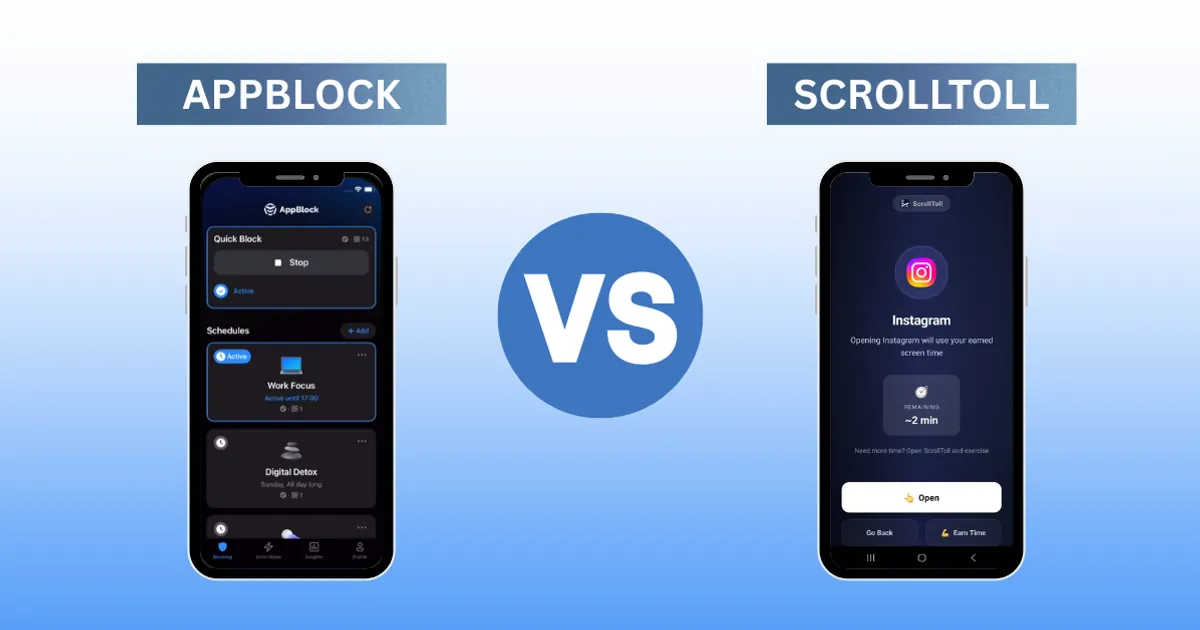
| ScrollToll: Screen-Time Gym | Doing bodyweight exercise every day | Locks distracting apps until you earn time with camera-counted reps | 3-day trial, then paid | iPhone, Android |
Features and plans change often, so check each app's store page for current prices.
1. Nike Training Club: best free bodyweight workout app
Nike Training Club offers trainer-led workouts you can filter by length, focus and equipment, including plenty that need nothing but a floor. It's the easiest place to start if you want guided sessions without paying. It's less suited to people chasing specific calisthenics skills, since it focuses on general fitness rather than skill progressions.
2. Freeletics: best AI-built bodyweight plan
Freeletics builds a plan around your goals and fitness level and adjusts it as you train, with audio coaching during sessions. It leans toward intense, conditioning-style workouts, which some beginners find tough at first. Advanced calisthenics skills aren't its focus.
3. Calisteniapp: best calisthenics library on a budget
Calisteniapp has a large library of calisthenics exercises and routines organized by focus area, and its free tier is one of the more generous in this category. Pro adds more routines, including ones that use rings and other equipment.
4. Caliverse: best structured calisthenics plans
Caliverse offers 100+ pre-made workouts and 300+ exercises, most needing no special equipment, plus plans that set your sessions for you. It's a good middle ground between a free library and a fully coached program.
5. Calistree: best for learning calisthenics skills
Calistree maps progressions as a visual skill tree, so you can see exactly which steps lead to a handstand, muscle-up or front lever. If your goal is a specific skill rather than general fitness, this structure is the most motivating on the list.
6. Thenx: best follow-along video coaching
Thenx was built by professional calisthenics athletes and offers follow-along programs with three difficulty levels per exercise. It suits people who like being coached through every rep on video, built around one coaching approach.
7. Madbarz: best short, equipment-free workouts
Madbarz focuses on prebuilt bodyweight workouts you can do anywhere, along with nutrition plans and mindset content. Some users find customization limited, and advanced options sit in the Pro version.
8. ScrollToll: Screen-Time Gym: best for doing a little every day
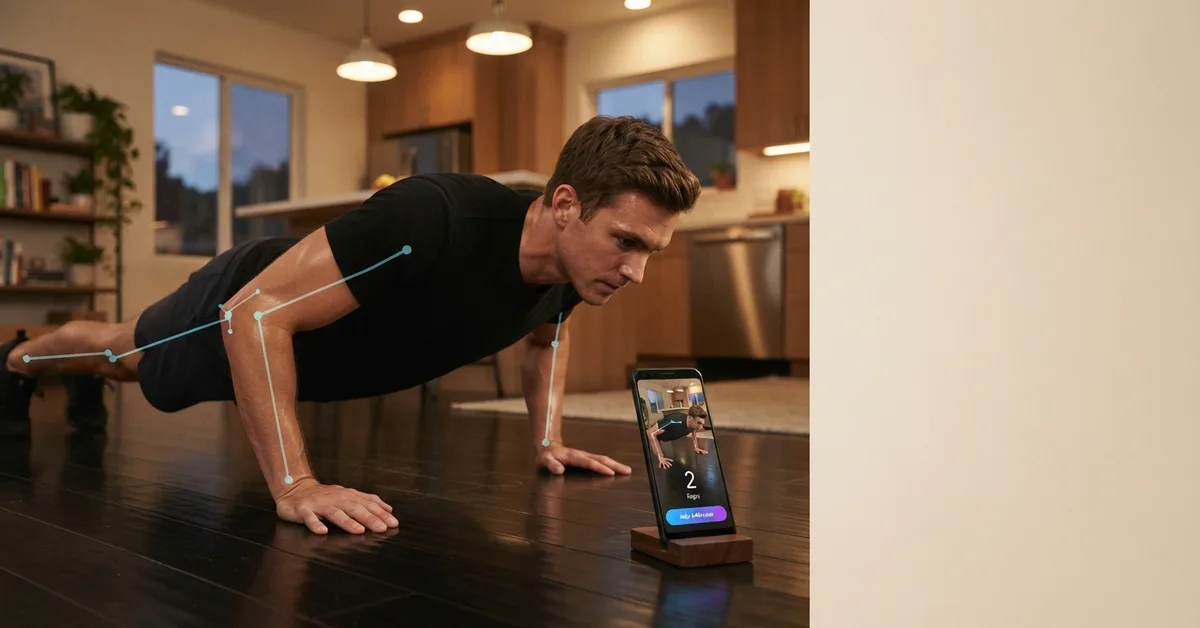
Most bodyweight apps assume the hard part is knowing what to do. For many people, the hard part is actually doing it. ScrollToll: Screen-Time Gym takes a different approach: it locks the apps you scroll too much, like Instagram or TikTok, and you unlock time by doing push ups, diamond push ups, squats, jumping jacks, lunges, crunches or overhead reaches. Your phone's camera counts each rep on the device, nothing is recorded, and each rep earns 1 minute by default. Walking counts too.
It's not a full training program, so pair it with one of the apps above if you want structured sessions. Its strength is consistency: if you reach for your phone eight times a day, that's eight short sets you didn't have to schedule. Read how push ups for screen time works.
How to choose a bodyweight workout app
| If you want… | Choose |
|---|---|
| Free guided workouts | Nike Training Club |
| A plan that adapts as you improve | Freeletics or Caliverse |
| To learn a handstand, muscle-up or other skill | Calistree, Calisteniapp or Thenx |
| Quick workouts with no equipment | Madbarz or Nike Training Club |
| To actually exercise every day | ScrollToll: Screen-Time Gym, alongside any of the above |
Also check three things before paying:
- Progressions: good bodyweight apps show easier and harder versions of each move, so you can start where you are.
- Form guidance: look for clear video or cues. Bodyweight moves look simple but are easy to do wrong.
- Free tier: most apps let you try a few workouts for free. Use it before subscribing.
Getting more from bodyweight training
Bodyweight training works best when you progress steadily. If you're new, start with incline push ups and build up to floor push ups using our guide to proper push up form. Once those feel easy, diamond push ups are a great next step for your triceps.
Download it on the App Store or Google Play.
Frequently Asked Questions
What is the best bodyweight workout app?
It depends on your goal. Nike Training Club is the best free option for guided workouts, Freeletics is best for an adaptive AI plan, Calistree is best for learning calisthenics skills, and ScrollToll: Screen-Time Gym is best for building a daily habit by earning screen time with reps.
What is the best free bodyweight workout app?
Nike Training Club is the main fully free option, with trainer-led workouts that need no equipment. Calisteniapp also has a generous free tier, and most other apps let you try a few workouts before paying.
What is the best calisthenics app for beginners?
Look for an app with clear progressions, so you can start with easier versions of each move. Calisteniapp, Caliverse and Calistree all build up step by step, and Nike Training Club is a good free starting point.
Can you build muscle with bodyweight workout apps?
Yes, if you keep making the exercises harder over time, for example moving from incline to floor to diamond push ups, or adding reps and slower tempos. Apps with structured progressions make this easier to follow.
Do bodyweight workout apps work without equipment?
Most do. Nike Training Club, Madbarz, Caliverse and ScrollToll: Screen-Time Gym all offer exercises that need no equipment. Some calisthenics skills, like pull-ups and dips, need a bar or rings.
Is there an app that counts bodyweight reps with the camera?
Yes. ScrollToll: Screen-Time Gym counts push ups, diamond push ups, squats, jumping jacks, lunges, crunches and overhead reaches through your phone's camera, on the device and without recording anything, and turns each rep into screen time.
How often should I do bodyweight workouts?
Three to four structured sessions a week is a good target for most people, with short bursts of movement on the other days. Spreading a few sets through the day also counts toward your weekly activity.
Are bodyweight workout apps worth paying for?
They can be if you'll use the structure. Try the free tier or trial first, and pay only if the app's programs fit your goal and you're using it at least a few times a week.
Ready to break the loop?
Download ScrollToll and start earning your screen time through real movement.