Block the YouTube app and youtube.com on iPhone or iPad with Screen Time, set it up for a child, or use an app blocker you can't switch off in one tap.
Quick answer: To block YouTube on iPhone, go to Settings > Screen Time > App Limits > Add Limit, open Entertainment, select YouTube, set 1 minute and turn on Block at End of Limit. Then block the website: in Content & Privacy Restrictions > App Store, Media, Web & Games > Web Content, choose Limit Adult Websites and add youtube.com under Never Allow. Add a Screen Time passcode someone else chooses, or the limit can be skipped with one tap. If you want a block you can't undo on impulse, an app blocker like ScrollToll: Screen-Time Gym keeps YouTube locked until you earn time with exercise.
Only want to get rid of Shorts and keep the rest of YouTube? See how to block YouTube Shorts instead.
Which way to block YouTube should you use?
| Goal | Best option | Blocks the app | Blocks youtube.com | Easy to skip? |
|---|---|---|---|---|
| Block YouTube for yourself | App Limits + Web Content | Yes | Yes, in Safari | Yes, unless someone else holds the passcode |
| Block YouTube at night or during work | Downtime | Yes, at set hours | No | Yes, unless someone else holds the passcode |
| Block YouTube on a child's iPhone | Family Sharing + Screen Time | Yes | Yes, in Safari | No, the child can't change it |
| Let a child watch, but only safe videos | YouTube Kids or a supervised account | Replaces YouTube | No | No |
| A block you can't undo on a bad night | An app blocker like ScrollToll: Screen-Time Gym | Yes | No | No, you earn time with exercise |
How to block the YouTube app on iPhone
- Open Settings and tap Screen Time. If it's off, tap Turn On Screen Time.
- Tap App Limits, then Add Limit.
- Open the Entertainment category and select YouTube. Tap Next.
- Set the time to 1 minute and choose the days.
- Turn on Block at End of Limit, then tap Add.
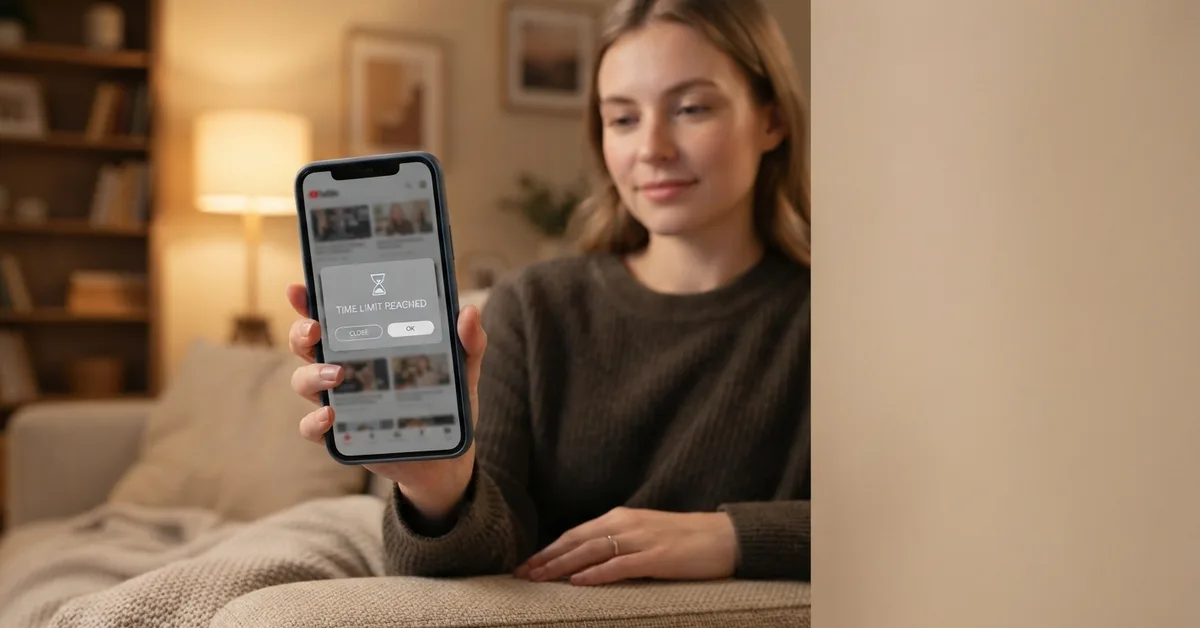
When the minute is up, YouTube shows a "Time Limit" screen. Without a Screen Time passcode, anyone can tap Ignore Limit and choose One More Minute, Remind Me in 15 Minutes or Ignore Limit for Today. That's why the next step matters.
Add a Screen Time passcode
Go to Settings > Screen Time > Lock Screen Time Settings and set a 4-digit passcode. If you set it yourself, you know it, so ask a friend or partner to choose one you don't know. Our guide on how to stop tapping Ignore Limit has more ways to make it stick.
Block YouTube only at certain hours
Go to Settings > Screen Time > Downtime, turn on Scheduled and set your hours, for example 10 p.m. to 7 a.m. Make sure YouTube is not in Always Allowed.
How to block youtube.com in Safari
Blocking the app isn't enough: YouTube works in any browser. To block the website too:
- Go to Settings > Screen Time > Content & Privacy Restrictions and turn it on.
- Tap App Store, Media, Web & Games, then Web Content.
- Choose Limit Adult Websites.
- Under Never Allow, tap Add Website and enter youtube.com. Add m.youtube.com too.
This covers Safari and apps that use Safari's web view. Other browsers you install can still open YouTube, so restrict or delete them as well.
How to block YouTube on a child's iPhone or iPad
- Set up Family Sharing and add your child.
- On your own iPhone, go to Settings > Screen Time > Family and choose your child.
- Add an App Limit for YouTube, or block it fully with Content & Privacy Restrictions > App Store, Media, Web & Games > Apps, choosing an age rating below YouTube's.
- Add youtube.com to Never Allow in Web Content, as above.
- Turn on Ask to Buy, so your child needs your approval to download YouTube or another video app.
Because you manage it from your own phone, your child can't change the settings.
If you'd rather limit YouTube than block it: YouTube Kids is a separate app with content for younger children, and a supervised Google account gives teens a filtered version of YouTube that you manage with Google Family Link. YouTube's Restricted Mode, under Settings > General in the YouTube app, hides some mature videos, but it's a filter, not a block.
How to block YouTube on iPad
Screen Time on iPad works the same way: Settings > Screen Time > App Limits > Add Limit > Entertainment > YouTube. If your iPhone and iPad use the same Apple Account, turn on Share Across Devices in Screen Time so one limit covers both.
How to block YouTube on Android
- App timer: go to Settings > Digital Wellbeing > App timers, tap Set timer next to YouTube and choose a short time. When it runs out, the icon turns grey until midnight. Deleting the timer takes two taps.
- Focus mode: go to Settings > Digital Wellbeing > Focus mode, select YouTube and turn it on now or on a schedule. The weak spot is the Take a break button.
- For a child: use Google Family Link from your own phone to block YouTube or set a daily limit.
The best app to block YouTube
Apple's Screen Time is built in and works for most people, but it has one weakness: whoever holds the passcode can switch it off. If that's you, the block only lasts until a tired moment at night.
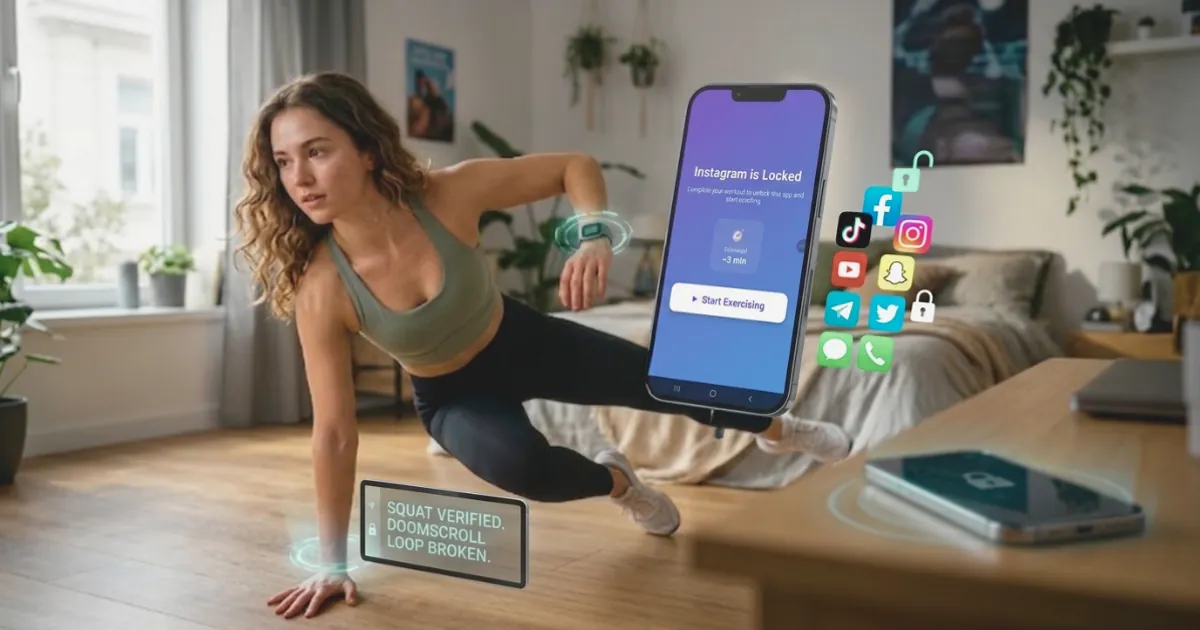
That's the problem ScrollToll: Screen-Time Gym solves. It locks YouTube, and to unlock time you do a set of push ups, squats or jumping jacks, or take a short walk. Your phone's camera counts each rep on the device, and nothing is recorded. Every rep earns 1 minute by default, so you decide how much YouTube is worth. With Strict Mode on, removing YouTube from your block list takes verified reps, a cooldown or a trusted person's approval, and any change that loosens your rules waits 24 hours.
| Screen Time | ScrollToll: Screen-Time Gym | |
|---|---|---|
| Price | Built into iPhone | 3-day trial, then paid |
| Blocks the YouTube app | Yes | Yes |
| Blocks youtube.com | Yes, in Safari | No |
| How you get past it | Passcode, or Ignore Limit if there's none | Earn minutes with exercise |
| Stops you switching it off | Only if someone else holds the passcode | Strict Mode: loosening rules waits 24 hours |
| Works on Android | No | Yes |
The two work well together: Screen Time blocks youtube.com in Safari, and ScrollToll: Screen-Time Gym keeps the app locked behind a few reps. Read how push ups for screen time works, or compare more options in our list of the best app blockers.
Not sure how much time YouTube is taking? Try the ScrollToll screen time calculator. For other apps, see how to block Instagram, TikTok and Snapchat.
Lock YouTube until you move
Download ScrollToll: Screen-Time Gym on the App Store for iPhone or Google Play for Android. Every plan starts with a 3-day trial. See plans on our pricing page.
Frequently Asked Questions
How do I block YouTube on my iPhone?
Go to Settings > Screen Time > App Limits > Add Limit, select YouTube under Entertainment, set 1 minute and turn on Block at End of Limit. Then add youtube.com to Never Allow under Content & Privacy Restrictions > Web Content, and set a Screen Time passcode someone else chooses.
How do I block YouTube on my child's iPhone?
Use Family Sharing and manage your child's Screen Time from your own iPhone. Block YouTube with an App Limit or by setting an app age rating below YouTube's, add youtube.com to Never Allow, and turn on Ask to Buy so new downloads need your approval.
Can I block YouTube without deleting the app?
Yes. App Limits and Downtime in Screen Time stop YouTube opening while keeping the app and your account. Your subscriptions and history stay as they are.
How do I block YouTube in Safari on iPhone?
Go to Settings > Screen Time > Content & Privacy Restrictions > App Store, Media, Web & Games > Web Content, choose Limit Adult Websites, and add youtube.com and m.youtube.com under Never Allow.
Is there an app to block YouTube?
Yes. Apple's Screen Time is built in, and app blockers add stronger rules. ScrollToll: Screen-Time Gym locks YouTube until you earn time with push ups, squats or a walk, and its Strict Mode delays any change that loosens your rules by 24 hours. It works on iPhone and Android with a 3-day trial.
Can I block only YouTube Shorts and keep YouTube?
Yes. In the YouTube app, set the Shorts feed limit to 0 minutes under Settings > Time management. Screen Time can't separate Shorts from the rest of YouTube. See our guide on how to block YouTube Shorts.
Does Restricted Mode block YouTube?
No. Restricted Mode hides some mature videos, but YouTube still opens and everything else stays available. To block YouTube, use Screen Time or an app blocker.
How do I block YouTube on iPad?
The same way as on iPhone: Settings > Screen Time > App Limits > Add Limit > Entertainment > YouTube. Turn on Share Across Devices so one limit covers your iPhone and iPad.
Ready to break the loop?
Download ScrollToll and start earning your screen time through real movement.