A week-by-week plan to cut daily screen time from 5 hours to 2. Realistic targets, the settings that matter, and what to do when willpower runs out.
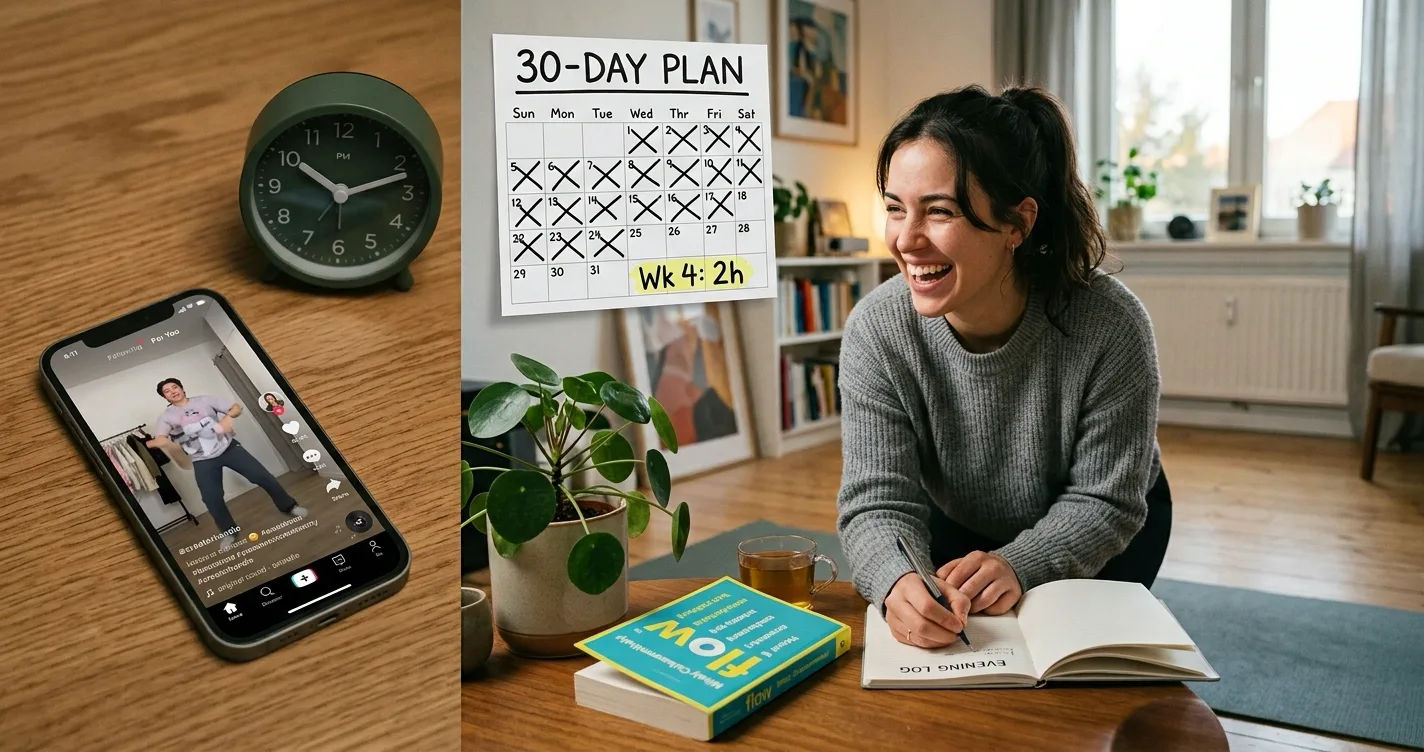
Cutting from 5 hours to 2 frees up 3 hours a day, or 21 hours a week. That is too large a drop to sustain in one step, so reduce by 45 minutes per week over four weeks instead. Week 1 targets 4h15m, week 2 targets 3h30m, week 3 targets 2h45m, week 4 targets 2h. Pair each weekly cut with one structural change, because targets alone do not hold.
Most advice about reducing screen time tells you to buy an alarm clock and keep your phone out of the bedroom. That advice is fine. It is also why you are still at five hours.
The problem is not that you do not know screens are a problem. You already know. If you are searching for this, you have probably already tried setting a limit and tapping "Ignore Limit" fifteen minutes later.
This guide is a schedule with numbers in it, not a list of tips. It also covers the part most articles skip: what to do in the specific moment when your own rule stops working.
Why going straight to 2 hours fails
Five hours to two hours is a 60% cut. Applied to anything else, you would recognise it as unrealistic. Nobody recommends going from zero exercise to daily hour-long workouts, or from a normal diet to 1,200 calories overnight.
Screen time gets treated differently because the change feels like it should be free. It is only a phone. You just put it down.
But five hours a day is not one behaviour. It is roughly 80 to 100 separate phone pickups, most of which last under two minutes and none of which feel like a decision. You are not breaking one habit. You are breaking a reflex that fires all day.
Cutting 45 minutes a week works better for two reasons. Each step is small enough that you do not notice deprivation, and each week gives the previous change time to become automatic before you stack another one on top.
If you are still deciding whether five hours is genuinely a problem for you, we covered that separately in is 5 hours of screen time bad for your brain.
Before week 1: get your real number
Do not start cutting until you know your baseline. Most people underestimate their screen time by one to two hours.
- Find your actual daily average: On iPhone, open Settings, then Screen Time. On Android, open Settings, then Digital Wellbeing. Look at the weekly average, not today's number.
- Identify your top three apps: In almost every case, three apps account for 60% or more of the total. Those three are your entire project. The other twenty do not matter.
- Note your pickup count: This number matters more than the hours. If you pick up your phone 90 times a day, the fix is not shorter sessions. It is fewer openings.
- Write both numbers down: You will want them in week 4, because progress on this is hard to feel from the inside.
The 30-day schedule
Each week has one target and one structural change. Do not skip ahead. The changes compound and the order matters.
A note on the numbers: most versions of this advice use round targets of 4, 3 and 2 hours. That front-loads the hardest cut into week 2, where a full hour has to disappear at exactly the point the easy wins have run out. Splitting the 180 minutes into four equal 45-minute steps keeps every week the same difficulty, which is why the targets below land on quarter hours.
| Week | Target | Structural change |
|---|---|---|
| 1 | 4h15m | Remove the easy time: notifications, home screen, autoplay, grayscale |
| 2 | 3h30m | Set screen-free windows, charge outside the bedroom, limit top 3 apps |
| 3 | 2h45m | Add friction that costs something: exercise, cooldown, or partner approval |
| 4 | 2h | Fill the freed time with chosen replacements, expect one bad week |
Week 1, target 4h15m: remove the easy time
The first 45 minutes are the cheapest you will ever cut, because a meaningful chunk of your screen time is not wanted by you at all.
- Turn off all non-human notifications: Keep messages and calls. Turn off everything from apps that want your attention rather than needing it. This alone removes a large share of pickups.
- Remove your top three apps from the home screen: Do not delete them. Move them into a folder on the last page. The reflex is visual, and breaking the visual cue breaks a surprising number of openings.
- Turn off autoplay: In YouTube, TikTok and Instagram settings. Autoplay is what turns a two-minute check into a forty-minute session.
- Switch your display to grayscale: On iPhone, Settings, Accessibility, Display & Text Size, Colour Filters. On Android, Settings, Digital Wellbeing, Bedtime mode or Accessibility depending on your version. Feeds are designed around colour, and stripping it out makes them noticeably less compelling. Most people find this the single most surprising change on the list.
Week 1 usually lands under target without much effort. That is intentional. Starting with a win matters more than starting with a challenge.
Week 2, target 3h30m: set the boundaries that hold
Now the easy time is gone and you start on the habitual time.
- Pick two screen-free windows: The first hour after waking and the last hour before sleep are the standard choices, and they are standard because they work. Morning scrolling sets the tone for the day's attention span, and evening scrolling costs you sleep quality on top of the time.
- Charge your phone outside the bedroom: Yes, this is the advice everyone gives. It is on every list because it is the single highest-yield change available, and it costs about £10 for an alarm clock.
- Set app limits on your top three: Not on everything. Three apps only. Limits on twenty apps get ignored within days.
If late-night scrolling is your main problem rather than daytime use, we go into that specifically in how to stop scrolling TikTok at night.
Week 2 is where most people first hit resistance. The limit appears, you tap through it, and the target slips. That is expected, and it is what week 3 exists to solve.
Week 3, target 2h45m: add friction that costs something
By now you have discovered the core problem with screen time limits: the ignore button. A limit you can dismiss with one tap is not a limit. It is a notification.
This is the week to stop relying on a rule you can overrule.
- Make unlocking cost something: ScrollToll locks your chosen apps behind physical exercise. To open Instagram you complete a set of push-ups, squats or lunges, verified in real time by on-device AI pose detection. All camera processing happens on your phone and nothing is recorded or transmitted. The point is not fitness, though that is a side effect. The point is that a delay can be waited out while twenty squats cannot.
- Or add external accountability: If exercise is not practical for you, use a blocker with a cooldown timer or partner approval, so unlocking requires either time or another person's consent.
- Whatever you choose, enable the strict setting: The version that makes the blocker itself hard to remove. A blocker you can uninstall in ten seconds during a weak moment is not protecting anything.
For blocking specific apps, we have step-by-step guides for TikTok, YouTube Shorts and Snapchat, plus a general walkthrough on how to lock apps on iPhone and Android.
Week 4, target 2h: fill the space
Here is where most reduction plans quietly fail, weeks after they appear to have succeeded.
You have removed three hours a day. Three hours is a lot of empty time, and empty time is uncomfortable. If you do not decide in advance what fills it, your phone will fill it for you, and you will be back at five hours within a month without noticing the drift.
- Choose replacements before you need them: Not aspirational ones. Realistic ones you will actually reach for when bored at 9pm.
- Keep something physical in the list: Boredom is a body state as much as a mental one, and physical activity resolves it faster than another screen does.
- Expect one bad week: Illness, travel, a stressful deadline, and the numbers jump. This is normal and not a failure. Return to the week 3 setup rather than starting over from week 1.
What to do when the plan slips
It will slip. Three things go wrong most often.
- You hit the target but feel worse: Usually means you cut the wrong hours. Screen time spent on a video call with family is not the same as forty minutes of Shorts. Cut the passive time, not the connected time.
- You plateau around 3 hours: Very common. It usually means one app is doing all the damage and general limits are not touching it. Block that single app completely for two weeks rather than limiting everything slightly.
- You keep bypassing your own blocks: The friction is too weak for your pattern. Escalate, do not restart. Cooldown timer, then exercise requirement, then partner approval.
Does cutting to 2 hours actually matter?
Worth being honest here: there is no medical consensus that 2 hours is a magic threshold for adults. Health bodies set specific limits for children, but for adults the guidance is about what screens displace rather than a fixed number.
Two hours is a useful target because it is roughly the point at which phone use stops crowding out sleep, movement and in-person time for most people. If you land at 2h30m and feel better, that is a success. The number is a tool, not a test.
What our own data shows
We can see part of this pattern in ScrollToll's own usage data, and two things stand out.
The first is when it happens. Unlock attempts cluster heavily around 10pm, which is the same window where self-set limits get dismissed most often. Evening is not a willpower failure so much as a predictable daily low point, which is why the week 2 screen-free window before bed does more work than it looks like it should, and why night-time scrolling is worth treating as its own problem.
The second is what happens when the barrier is not dismissible. Roughly 42% of unlock attempts are abandoned at the moment the exercise requirement appears, before any reps are completed. Nobody was stopped by the exercise itself in those cases. They were stopped by being asked to make a decision, which is the part a countdown you can wait out never asks for.
Frequently Asked Questions
How long does it take to reduce screen time from 5 hours to 2?
About four weeks using a staged approach of roughly 45 minutes per week. Attempting the full 180-minute cut in one step usually fails within days because the change is too abrupt to sustain.
Is it better to cut screen time gradually or all at once?
Gradually, for most people. A staged reduction gives each new habit time to become automatic before the next change is added. Going cold turkey can work for a short reset but rarely holds beyond a week or two.
Why do screen time limits stop working?
Because built-in limits on iPhone and Android can be dismissed with a single tap. Once dismissing becomes automatic, the limit functions as a notification rather than a barrier. Blockers that require time, exercise or another person's approval to bypass hold up better.
What is a realistic daily screen time for adults?
There is no official limit for adults. Most guidance focuses on whether screens are displacing sleep, physical activity and in-person time rather than on a fixed number. Two to three hours of non-work phone use is a common practical target.
Which apps should I limit first?
Your top three by usage. In most cases three apps account for over 60% of total screen time, so limiting those has far more effect than setting limits across every app on your phone.
Does deleting apps work better than blocking them?
Deleting works well short term but is easy to reverse, since reinstalling takes under a minute. Blocking with a strict mode that resists removal tends to hold longer because it adds friction to the reversal itself.
Do exercise-based app blockers actually work?
They work differently from delay-based blockers. In ScrollToll's own usage data, around 42% of unlock attempts are abandoned as soon as the exercise requirement appears, before any reps are done. The barrier works by forcing a conscious decision rather than by making the exercise hard.
How do I stop picking up my phone out of habit?
Target the pickup count rather than the hours. Turn off non-essential notifications, move your most-used apps off the home screen, and keep the phone out of arm's reach during focused work. Pickups are driven by visual and audio cues more than by intent.
Ready to break the loop?
Download ScrollToll and start earning your screen time through real movement.